App & URL Tracking Software
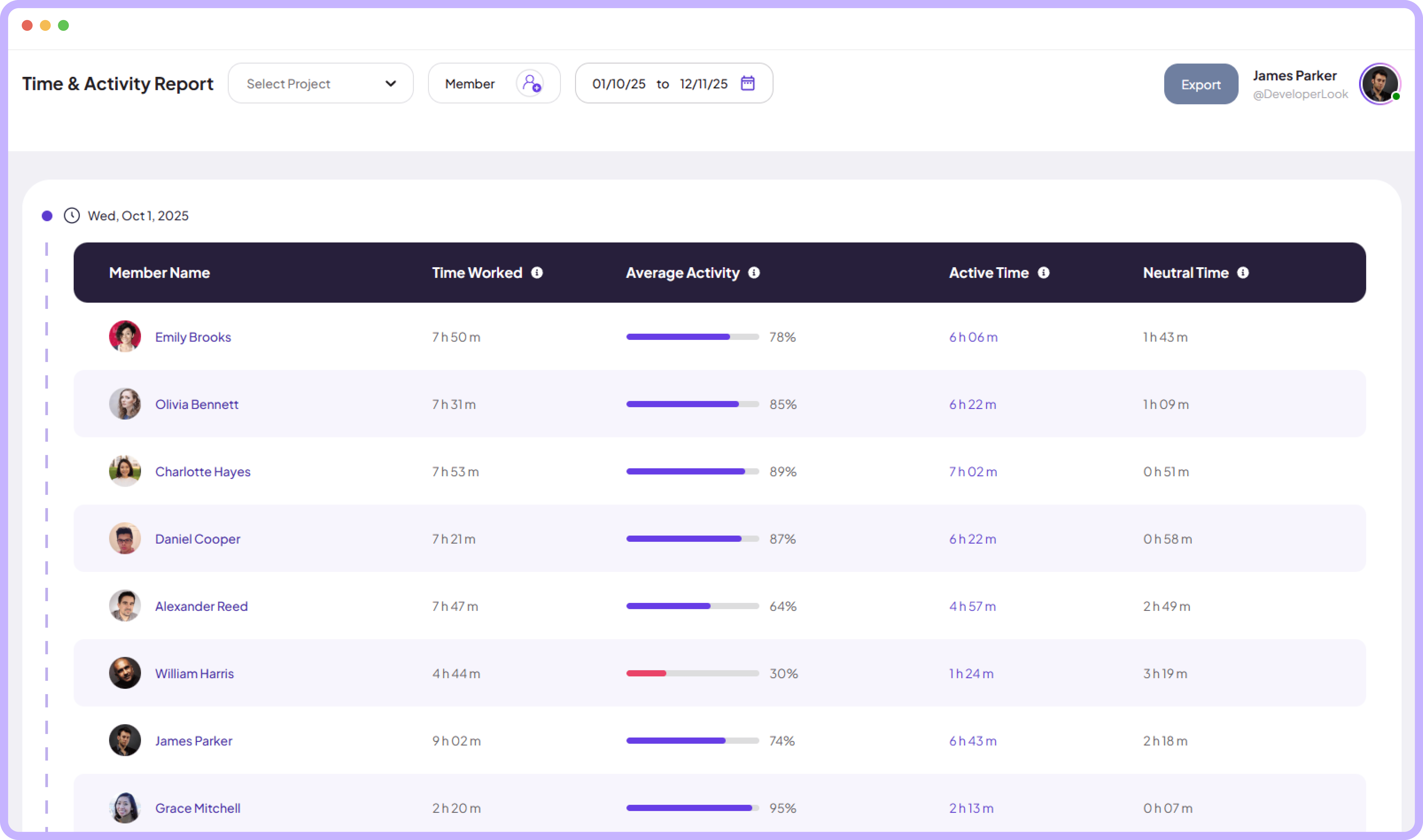
Track your team app usage, website activity, and time worked across every project with a data-driven report to monitor team performance.
Jump to sections
App & URL’s report
Visual Timelines for
Every App & URL’s Used


Automated App & URL Tracking Dashboard
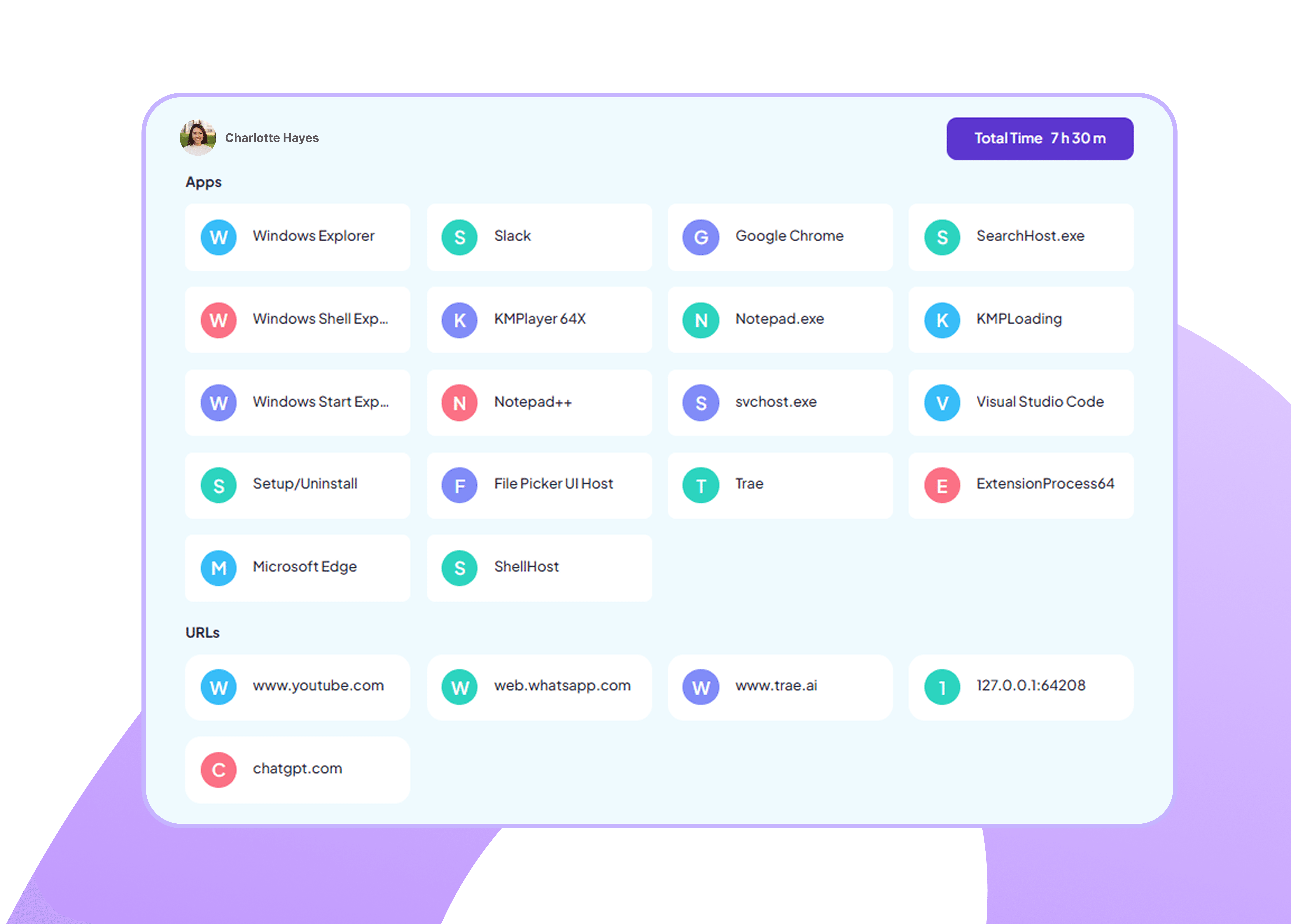
Automatically track time spent on every app and website during work hours in clean visual cards.
Recognize and track every app used during work hours
Log website visits and URL activity with precise time
Download Time & Activity Reports
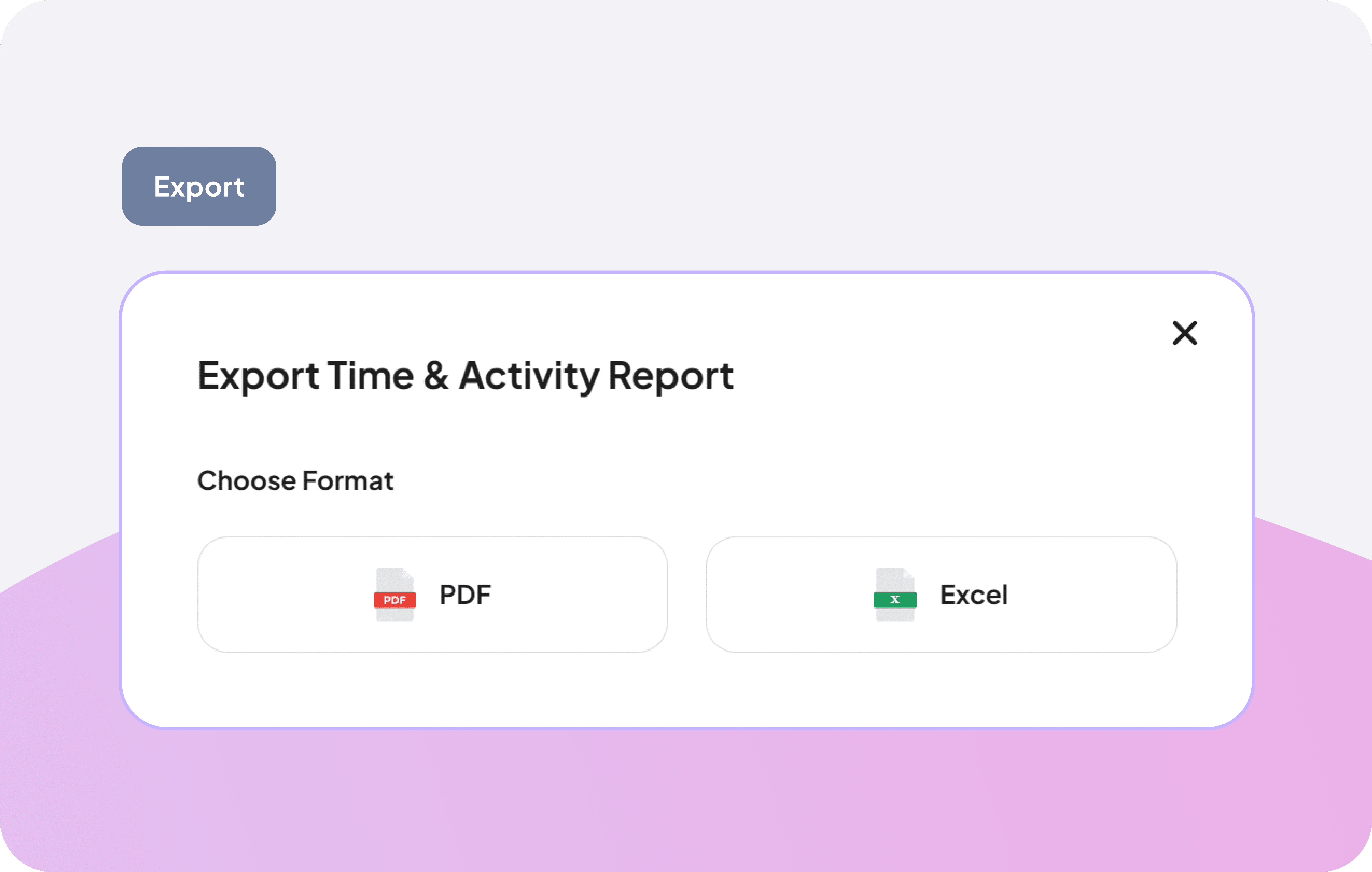
Generate and download time and activity reports in PDF or Excel, covering app usage, URL activity, and work hours for team productivity documentation and reporting.
Create and export time and activity reports instantly
Download in PDF or Excel format
Sync and share reports with stakeholders
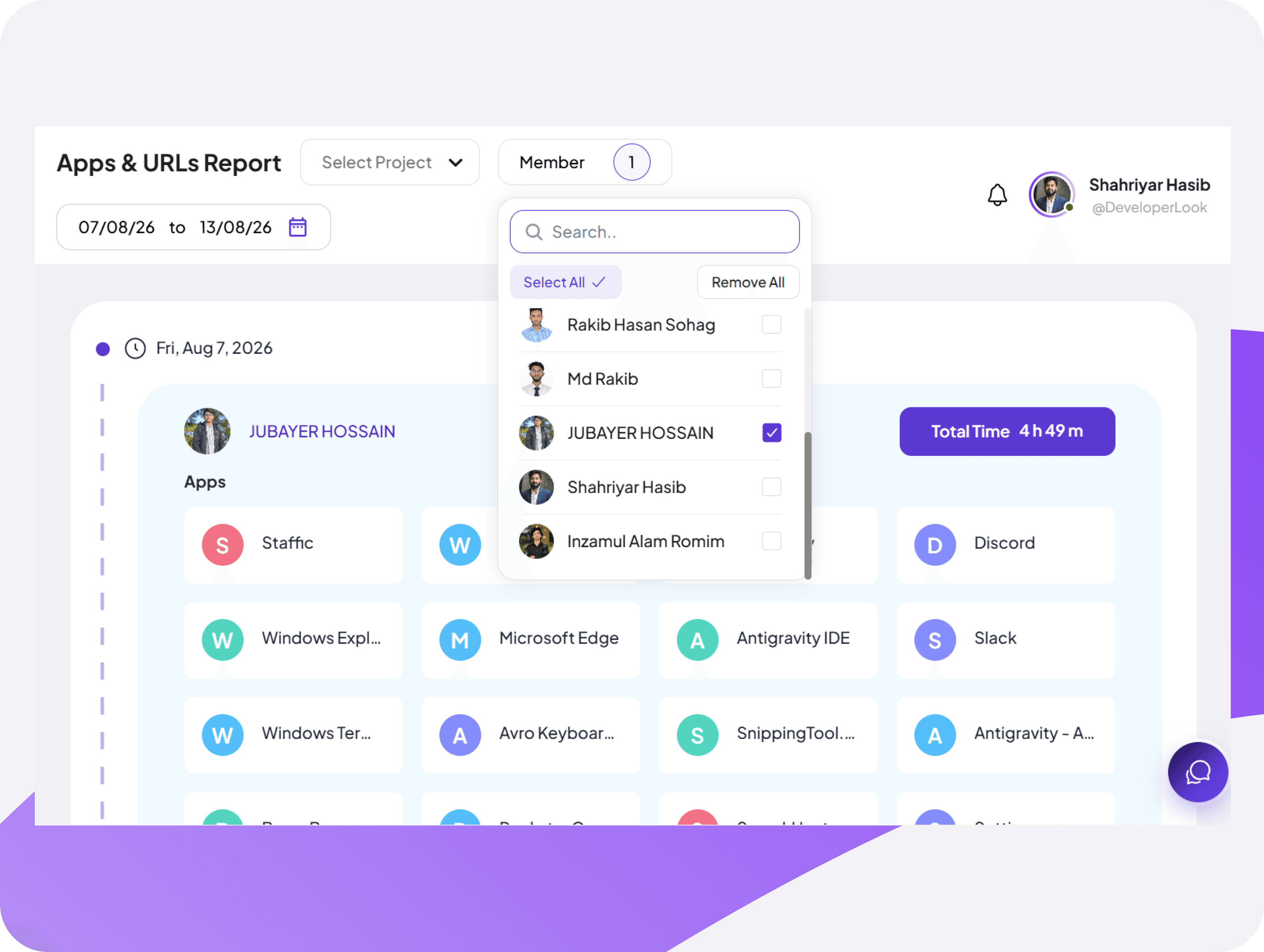
View & Filter App & URL Activity by Team Member
Search and select any team member to instantly filter and view their individual app and URL activity.
Filter and view app and URL usage data by team member
Review personal app usage and website activity instantly
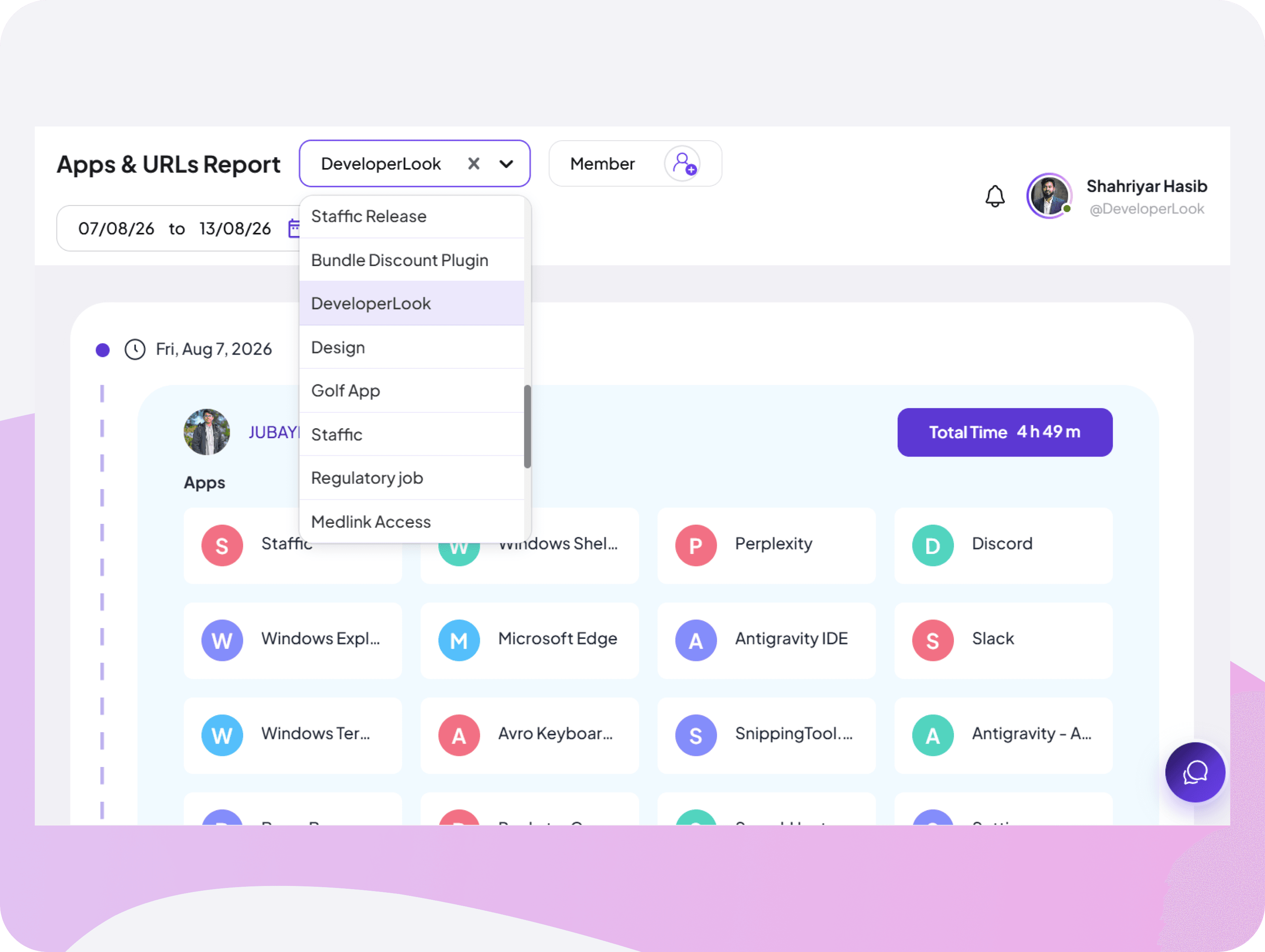
Smart Project-Based Filtering System
Select any project to filter app usage, website visits, and URL activity to monitor project-level productivity insights quickly.
Filter app & URL usage by project in one click
Eliminate irrelevant activity data and stay focused
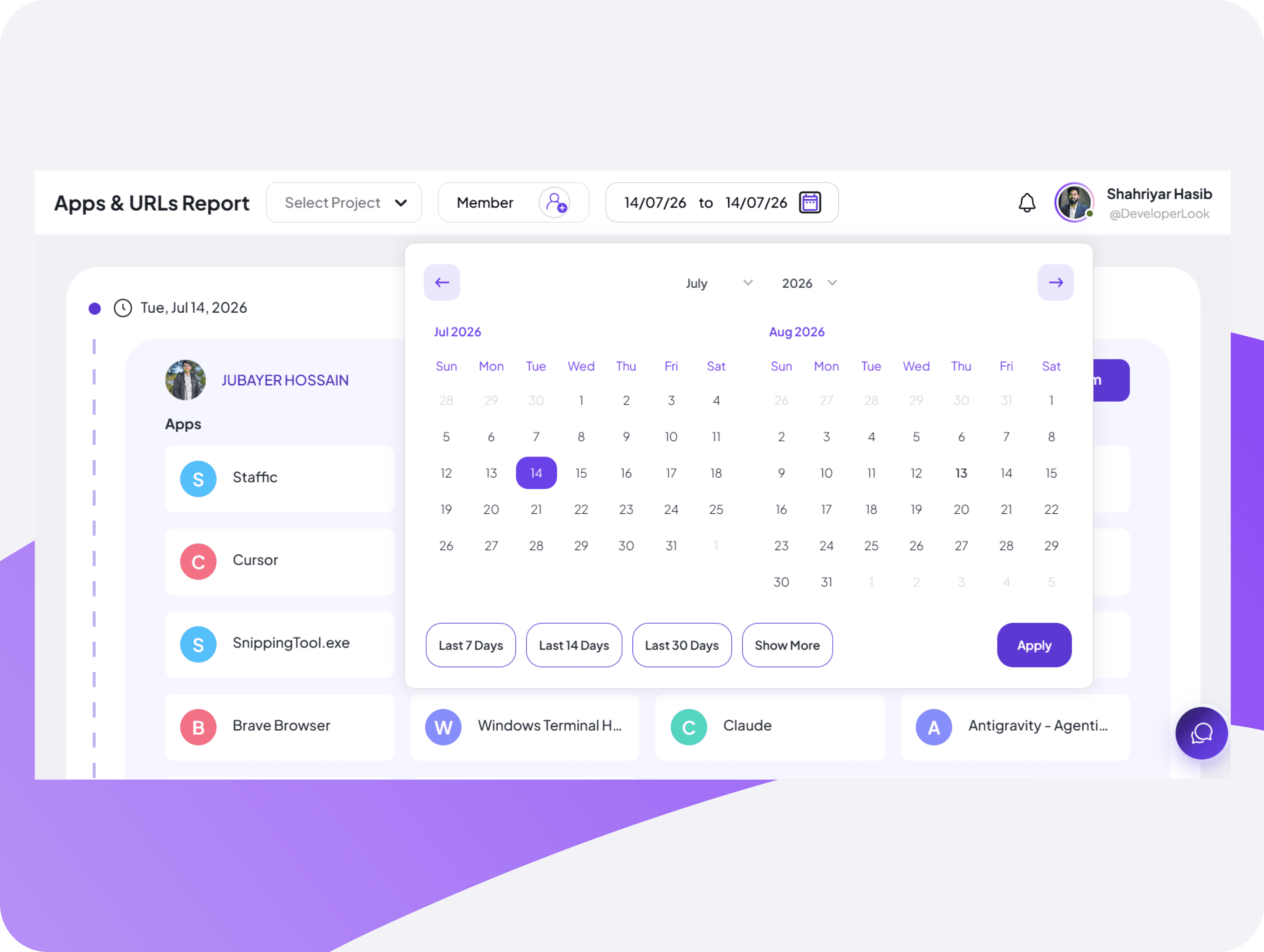
App & URL Activity History Calendar Filter
Navigate through days, weeks, and months to access app and URL activity data from any custom date range with quick preset filters in a clean visual calendar.
Jump to any specific work date to review app & URL usage history
Apply preset date ranges to access recent activity history


FAQ
Frequently Asked Questions
Get quick answers about how Staffic.io tracks app and website usage