All FeaturesLeave management

Leave
Management

Simplified

Manage employee leave requests, PTO, and time off balances in one simple dashboard
Jump to sections

Leave Management

Automated Leave Tracking
Workflows For Teams

Monthly Employee Leave Overview

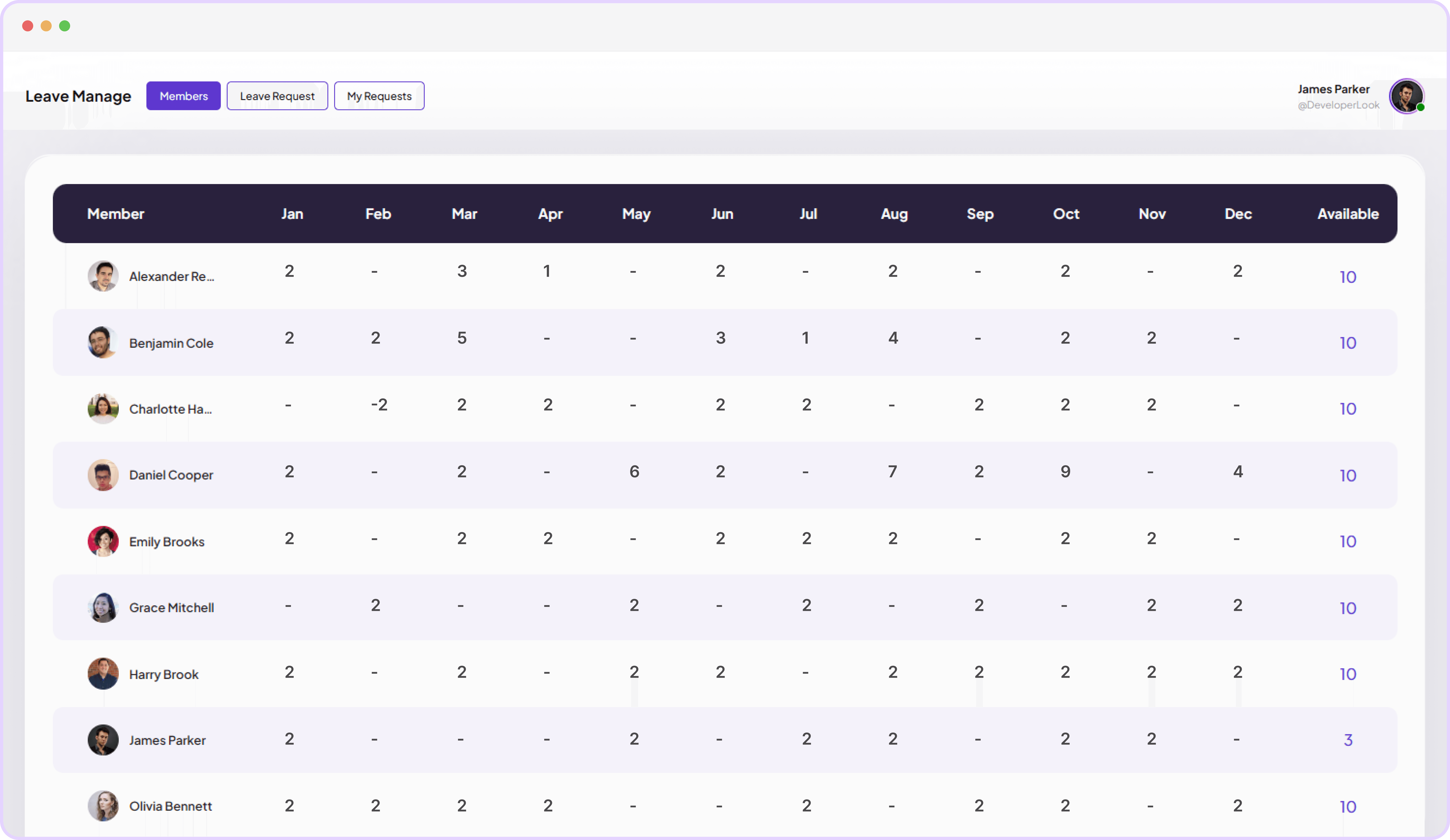
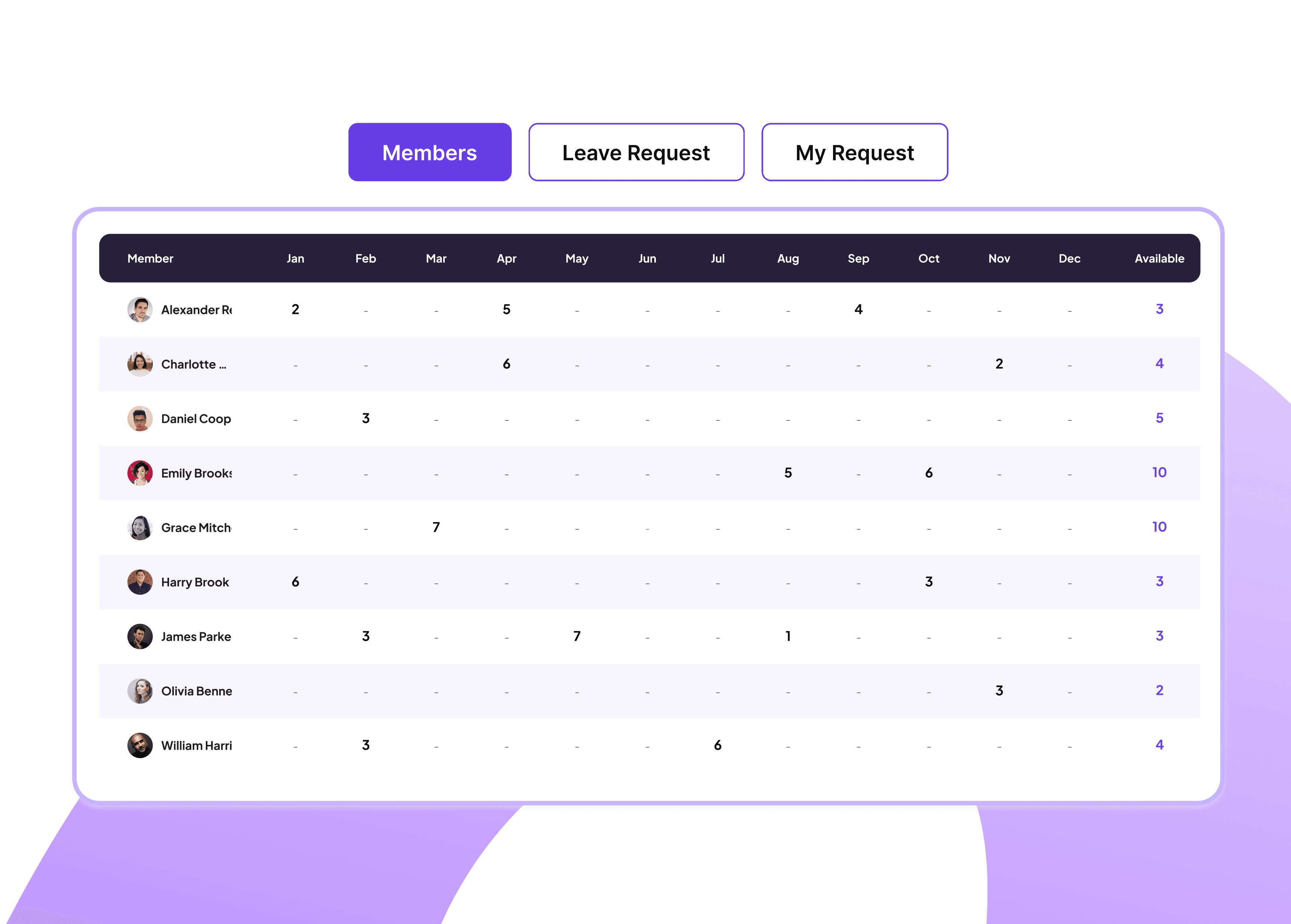
Get a clear, month‑by‑month view of every team member’s leave, so you can spot patterns, avoid clashes, and keep coverage under control.

Track approved leave days per person by month

Monitor remaining time‑off balances for every employee
Feature interface
Feature interface

Team Leave Request & Approval Management

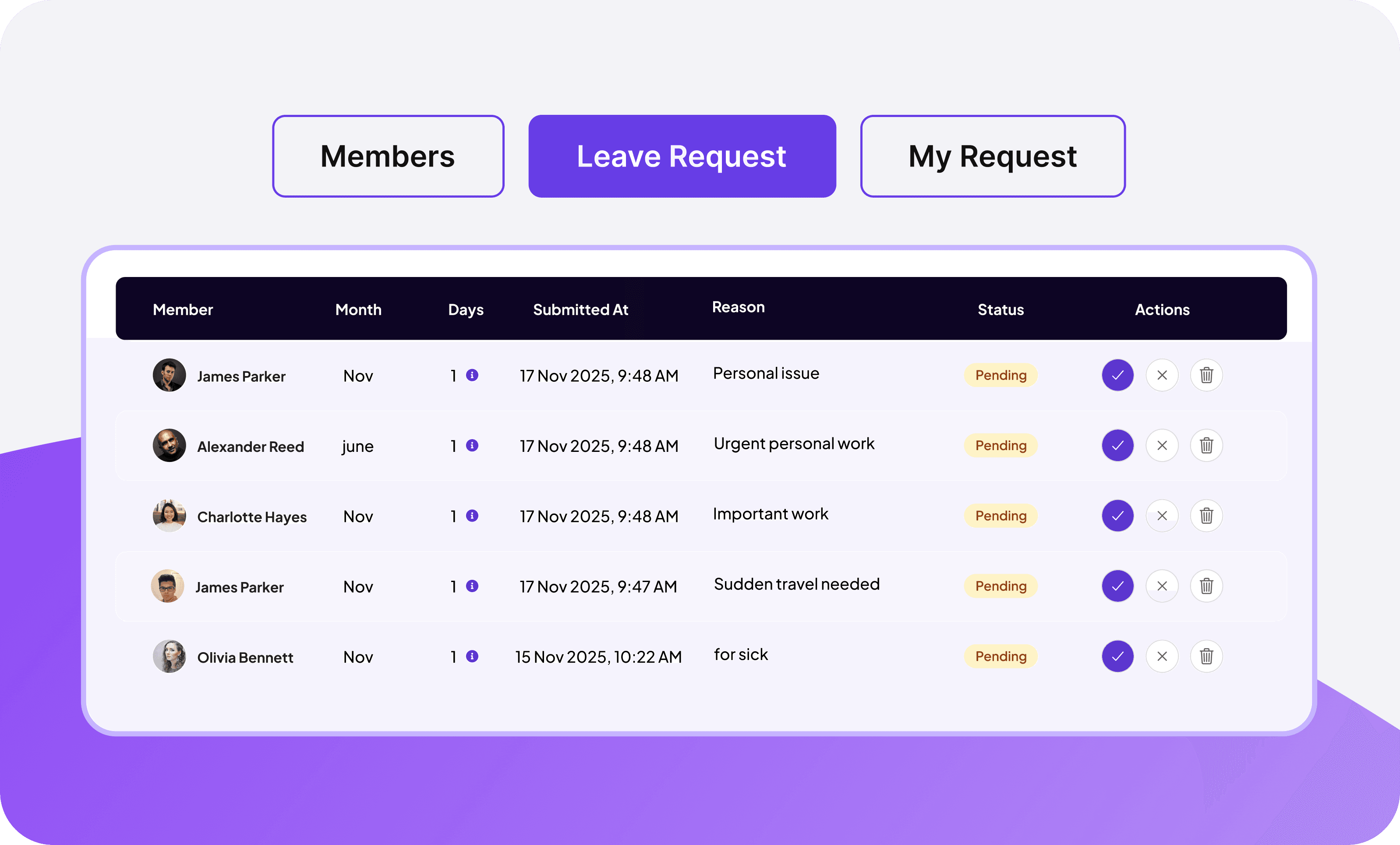
Gain a real‑time view of every employee leave request, so managers can review and approve time off quickly, without email back‑and‑forth.

View each pending request with clear employee details

Approve or decline leave in a single click

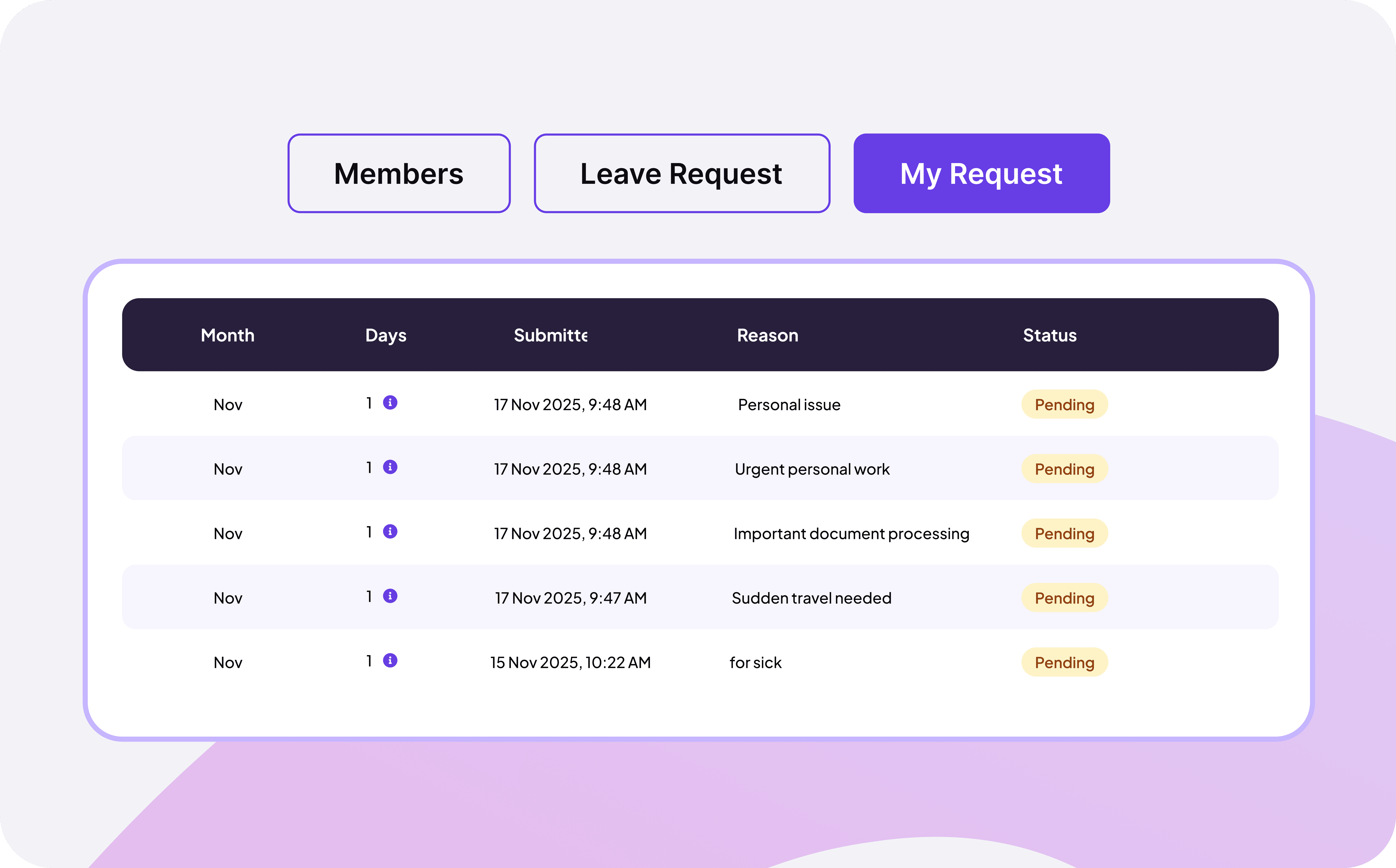
Track submission dates and request history clearly
Feature interface

Monitor the status of all leave requests

Give managers instant visibility into every leave request with color‑coded status badges (pending or approved).

Yellow badges highlight pending requests awaiting review

Green badges confirm requests that have been approved

FAQ

Frequently Asked Questions

Get clear answers to the most common questions about Leave management

Employees submit leave requests directly through Staffic.io's leave management system. Simply select the leave type, vacation, sick leave, personal time, or any custom leave type, choose the start and end dates, add any relevant notes, then submit.
Managers receive instant notifications whenever a new leave request is submitted. From the Leave Management dashboard, managers can review pending requests, check team coverage and leave balances in real time, then approve or deny requests with a single click.
Yes. Staffic.io gives managers a real‑time team leave calendar showing who is off, when, and for how long across the entire team at a glance.
Staffic.io gives you full control over how leave balance overages are handled. You can configure rules to automatically block requests that exceed available leave days, require manager approval for negative balance requests, or automatically convert excess days into unpaid leave.
Yes. Employees can cancel previously submitted or approved leave requests directly through Staffic.io if their plans change.

Boost Your Team's Productivity with AI-Powered Time Tracking App - It's Free

Start your free trial