Insightful Team
Dashboard
Get a complete visual breakdown of your team's time tracking, activity levels, and daily performance , so you always know how productive everyone is.
Jump to sections
personal overview
Track Every Hour
All in One Place

Real-Time Daily Hours & Productivity Tracking
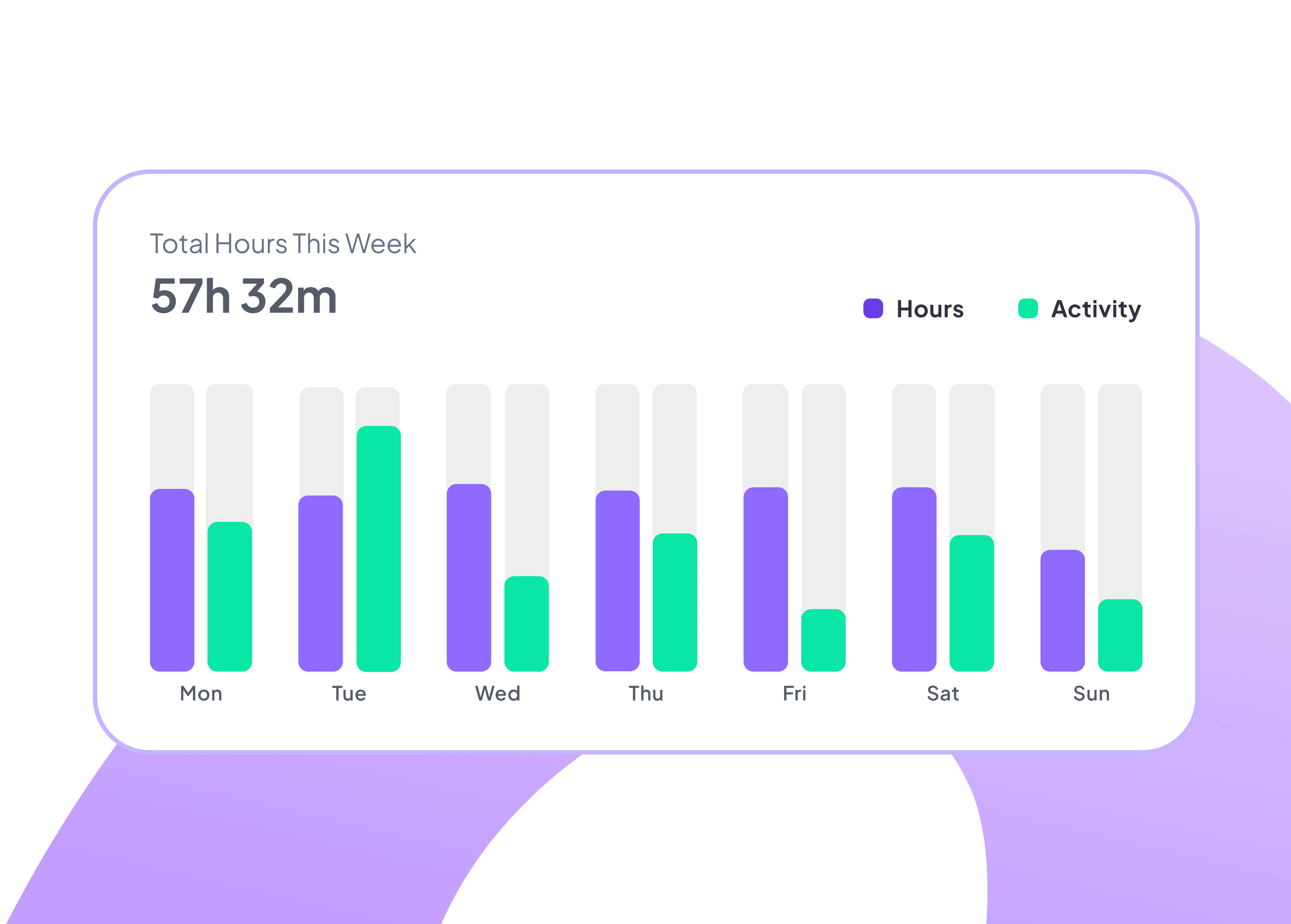
Get instant visibility into your worked hours and activity levels with real-time charts; So managers can spot productivity trends all from a single dashboard.
Visualize hours across every day and week
Pinpoint productivity peaks and dips
Make data-driven scheduling decisions
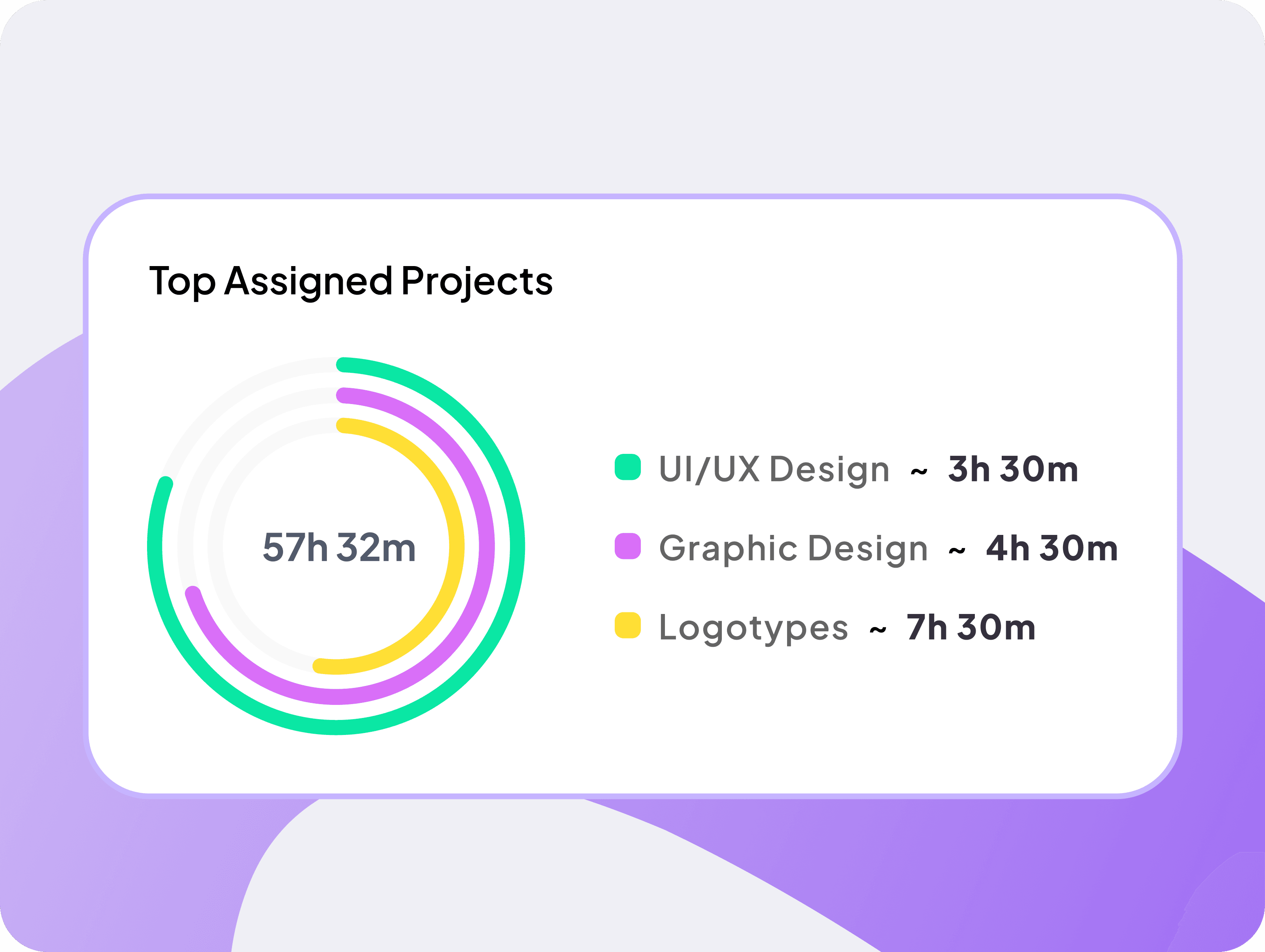
Project Time Allocation, Visualized in Real Time
Know exactly how your hours are distributed across every active project. So, you can gain the clarity to balance workloads, prioritize high-impact tasks, and keep every project on track.
Track hours dedicated to each active project
Identify which tasks consume the most resources
Balance team workloads with data-backed confidence
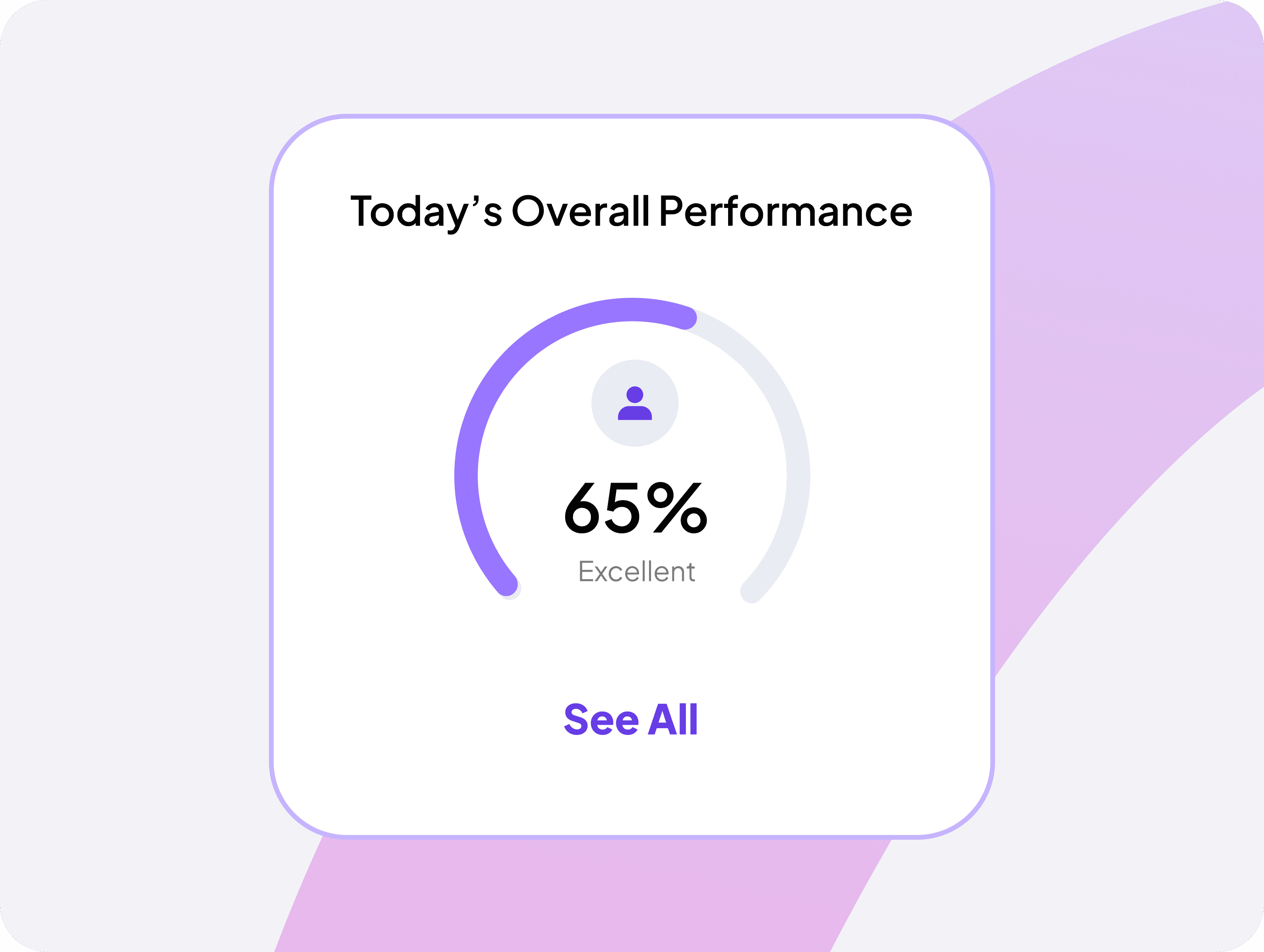
Your Daily Performance Score
Get an instant, data-driven snapshot of your overall performance for the day. Track real-time efficiency levels, stay aligned with targets, and identify improvement areas.
View your daily performance score instantly
Drive consistent performance improvement
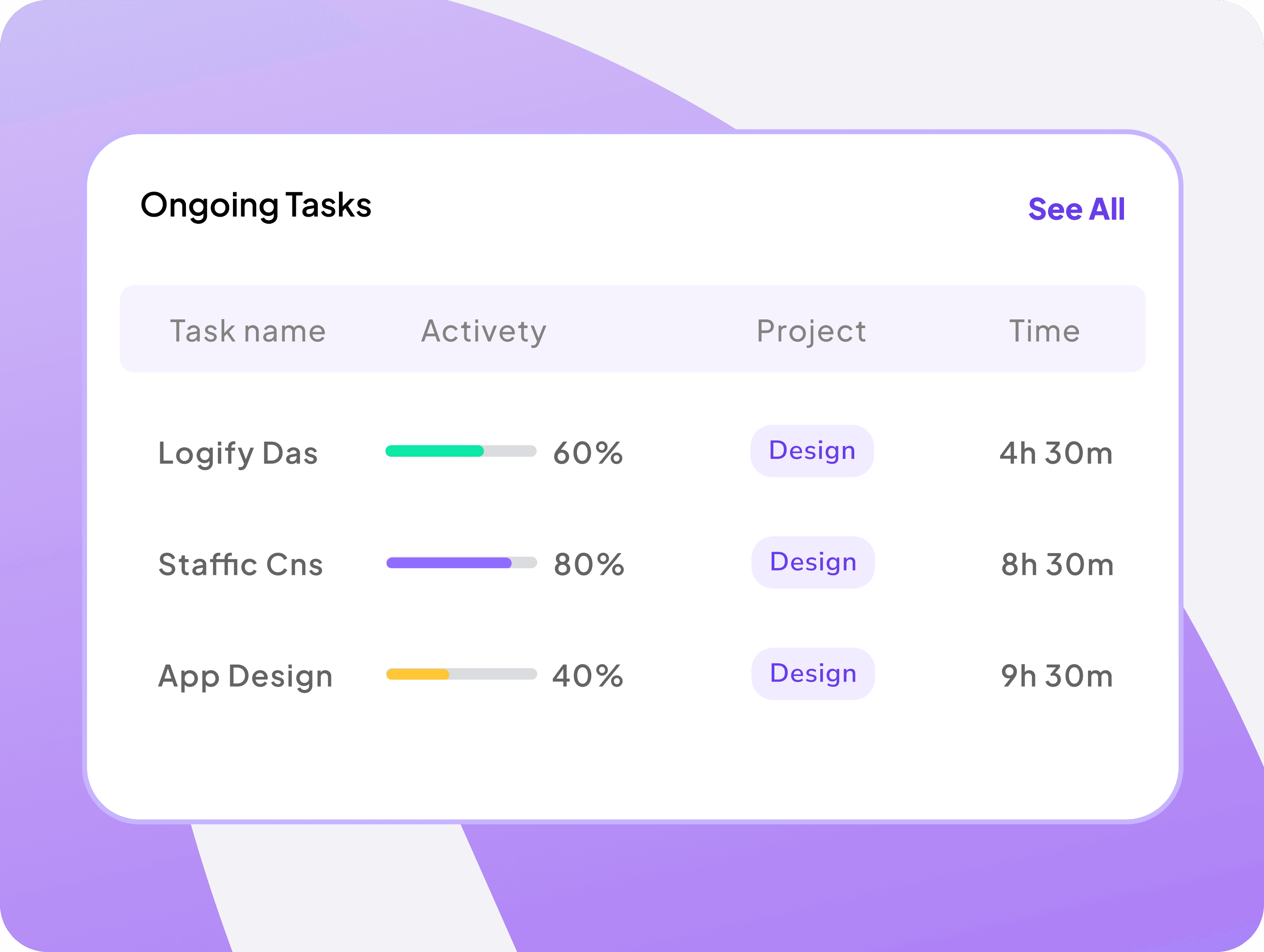
Track Every Task Progress
Monitor every ongoing task in real time, with live activity levels, project tags, and time spent. Know exactly what's moving forward, what needs attention.
Instantly check task activity levels
Identify tasks that need immediate attention
View time spent per task, across all projects
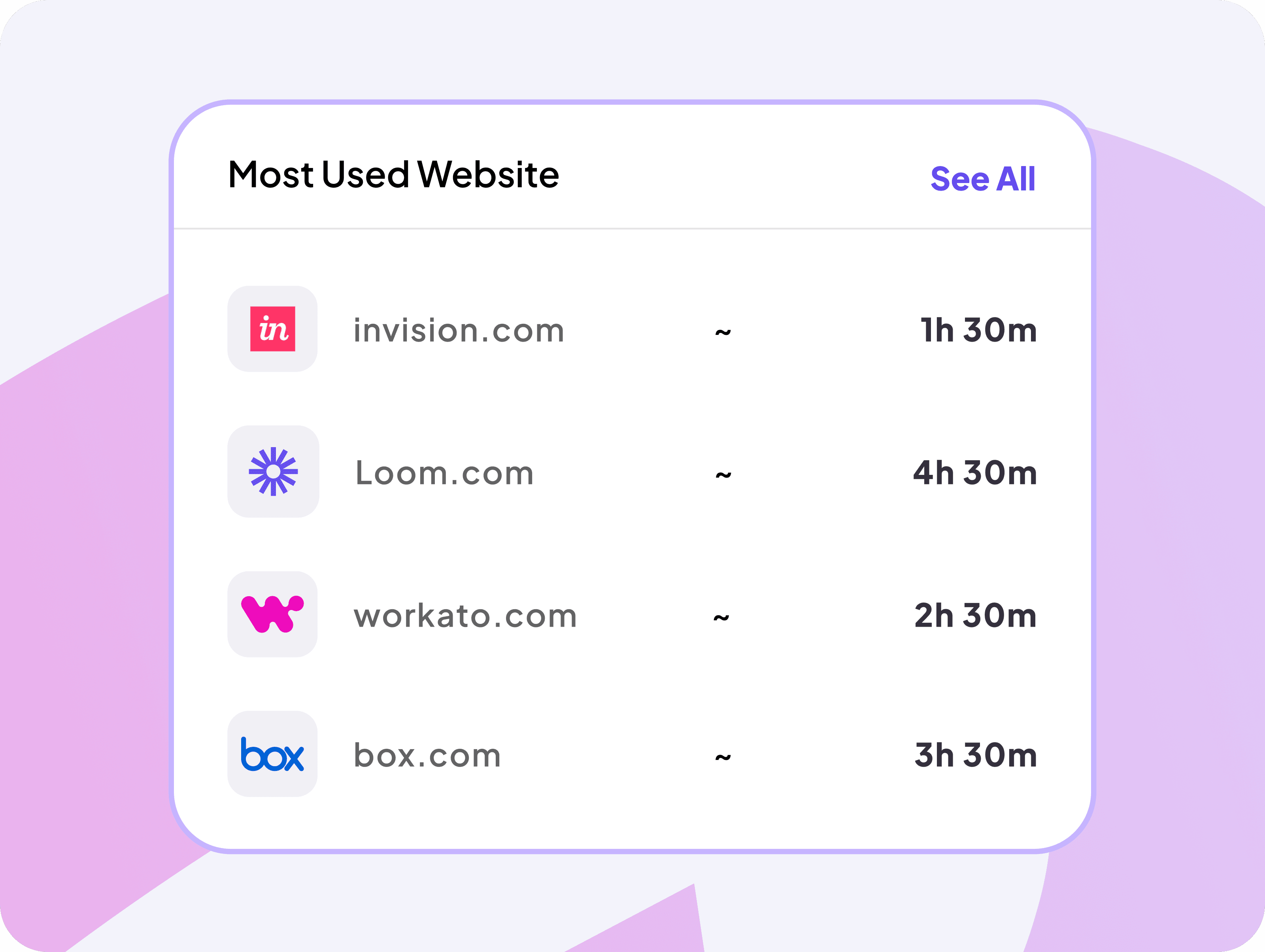
Monitor Top Visited Websites During Work
Gain full visibility into the websites you visit most during work hours. Identify time-draining distractions and analyze your daily workflow.
See your most visited work-related websites
Discover the tools that actually drive productivity
Pinpoint exactly where time is going
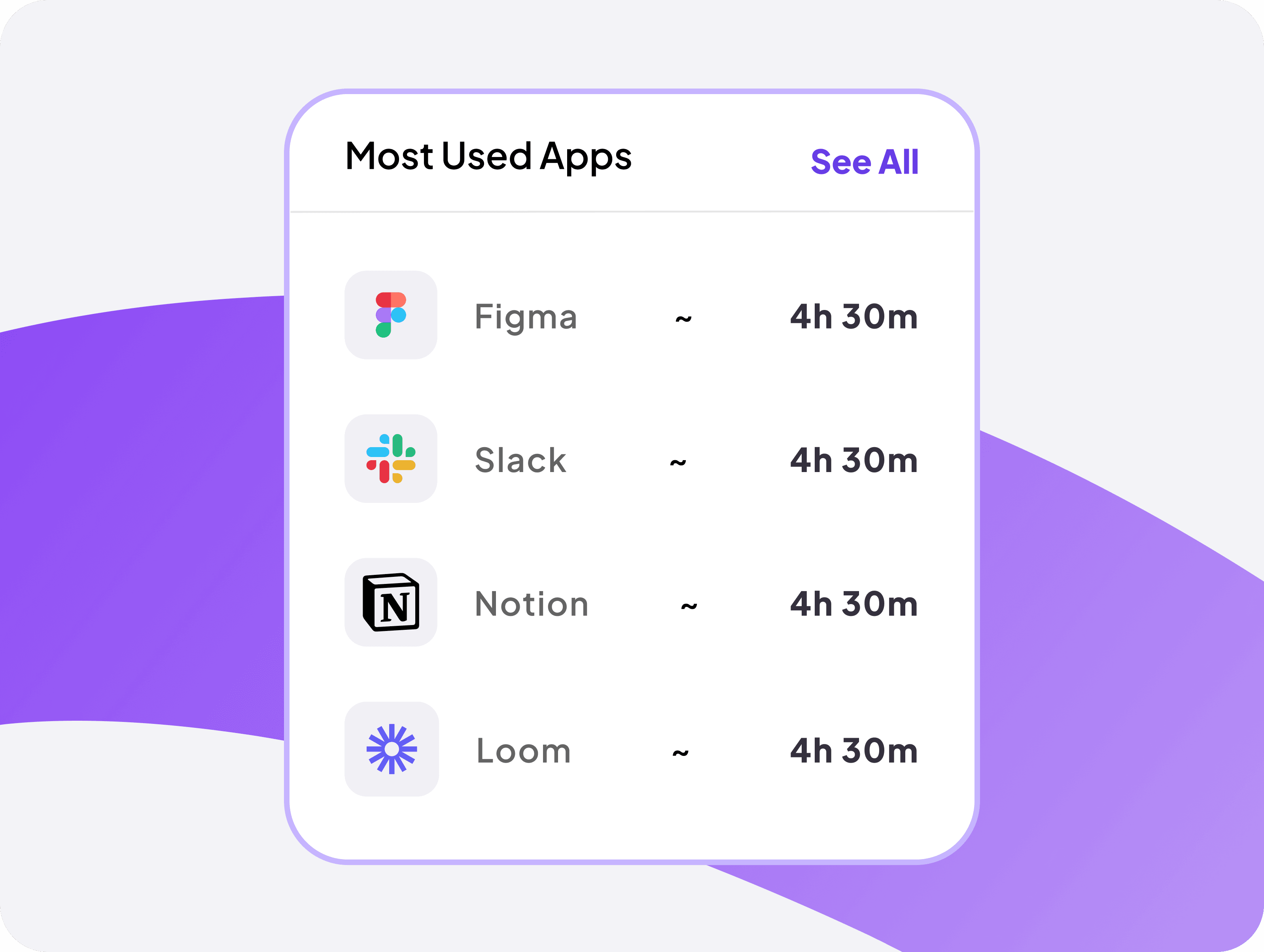
See Which Work Apps You Relies on Most
Uncover which tools you actively use and for how long. Track app engagement across your entire workforce, identify unused tools, and make productivity decisions every day.
Monitor time spent across every work app
Analyze app usage patterns to uncover actual team needs
organization Overview
Team Performance Analytics &
Project Allocation Dashboard
Monitor total employee hours, activity percentages, and task breakdowns with a daily performance snapshot that keeps your team aligned on goals and focused on continuous improvement.
Understand how actively your team is working
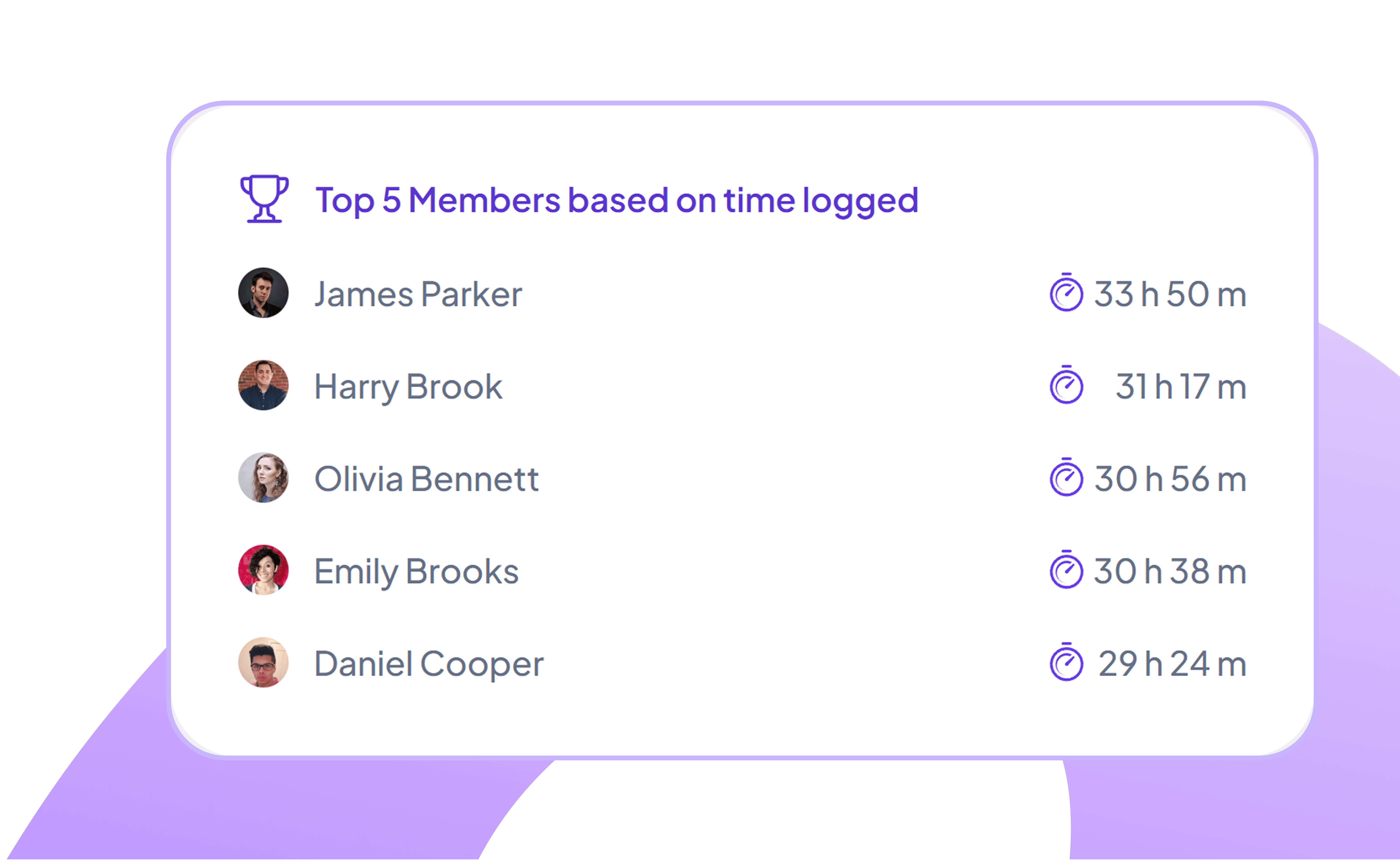
Track Team Members’ Productivity by Time Logged
Identify who logs the most productive hours from a clear, ranked list of team members.
Highlights top performers based on time logged
Displays total hours worked to quantify daily contribution
Enables managers to balance workload and resources across teams
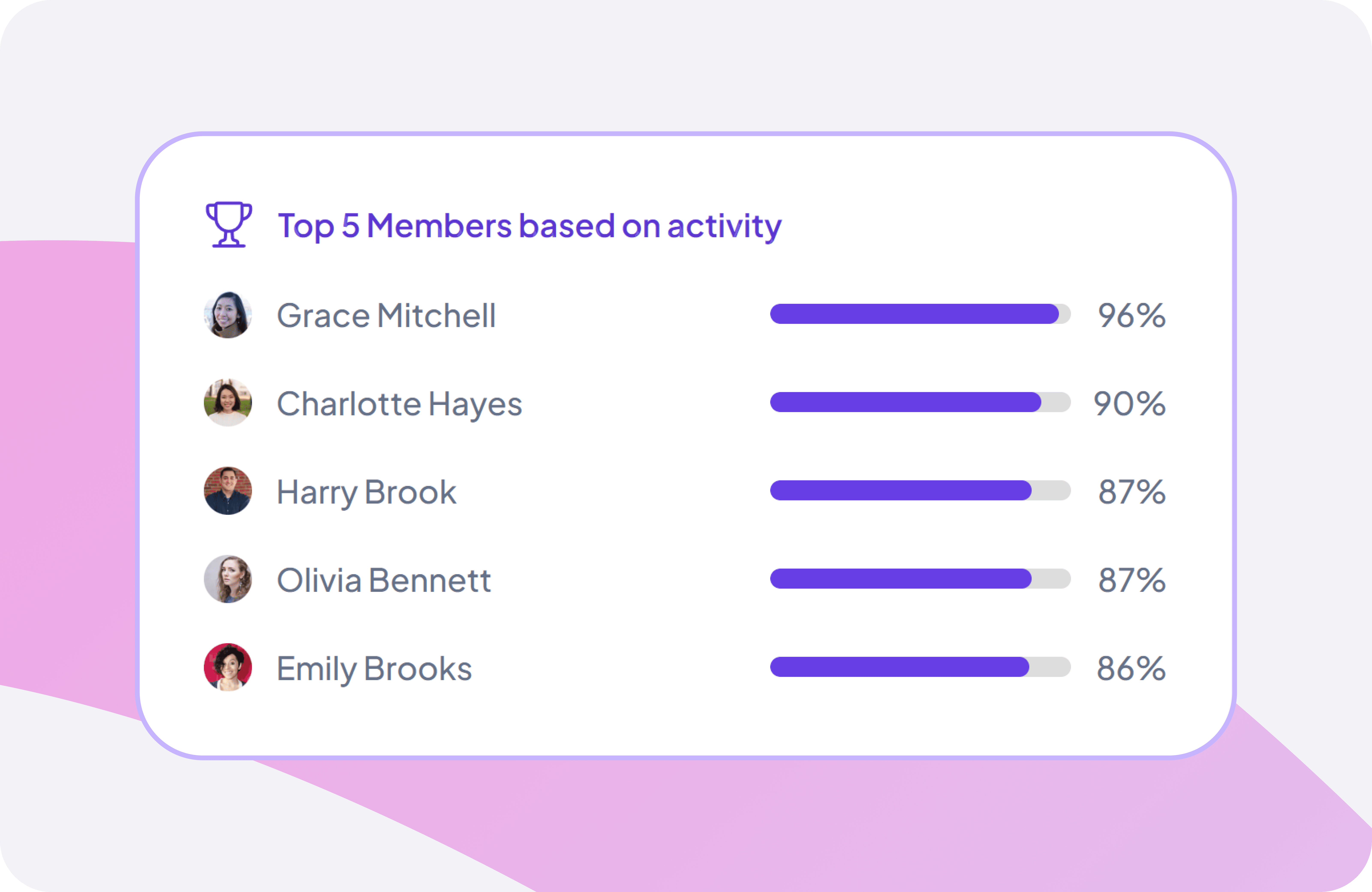
Top Performing Team Members by Work Activity
View a concise activity-percentage breakdown to understand how actively your team is working and quickly assess overall consistency and engagement.
Displays detailed activity percentages for each team member
Ideal for identifying consistently high-performing and reliable contributors
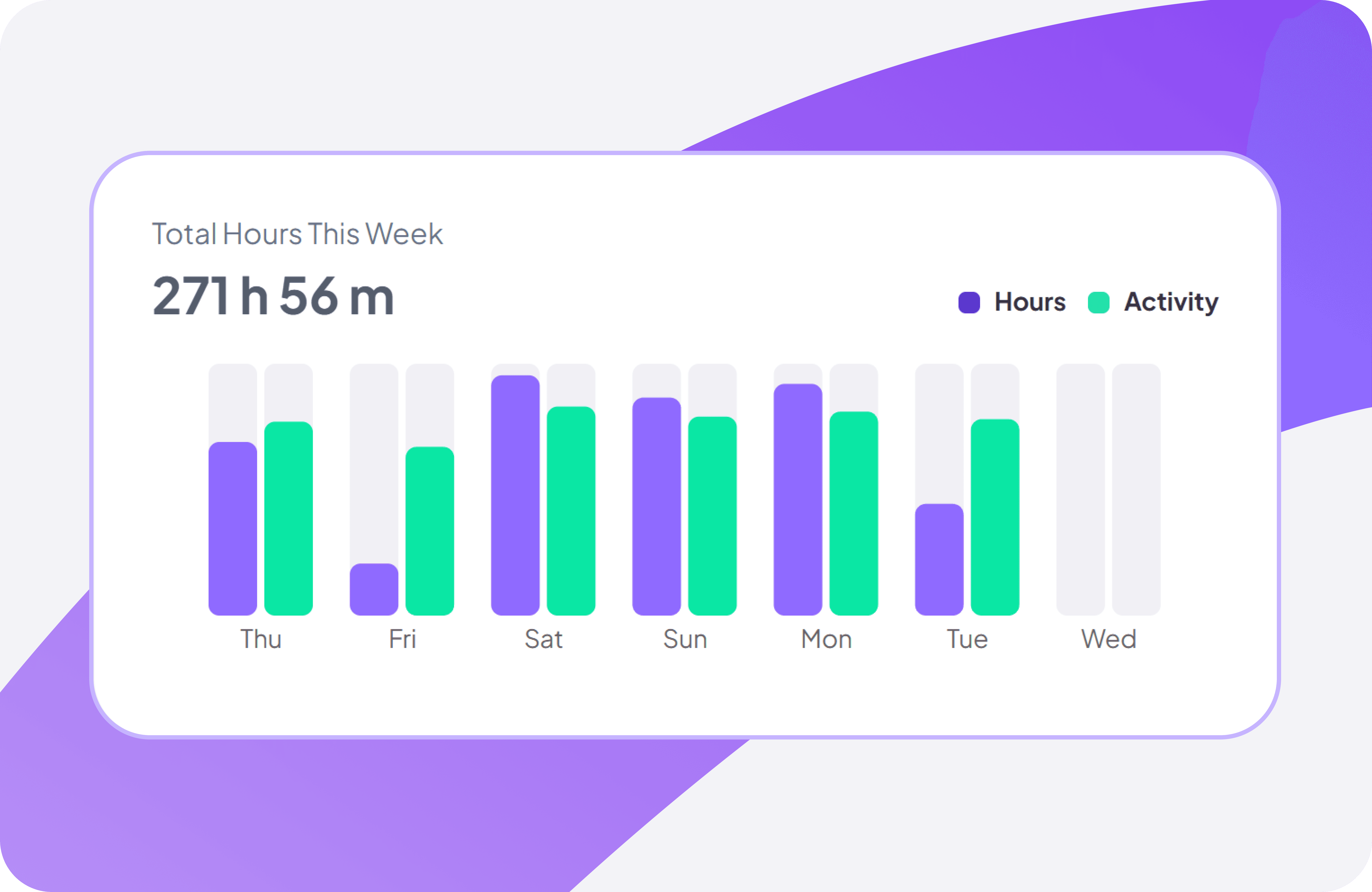
Weekly Employee Total Hours Summary
Get a complete view of total tracked hours and activity patterns across the week, helping you plan workloads confidently and spot productivity trends in seconds.
Shows a clear daily hour breakdown for the entire week
Reveals peak and low productivity periods to improve scheduling
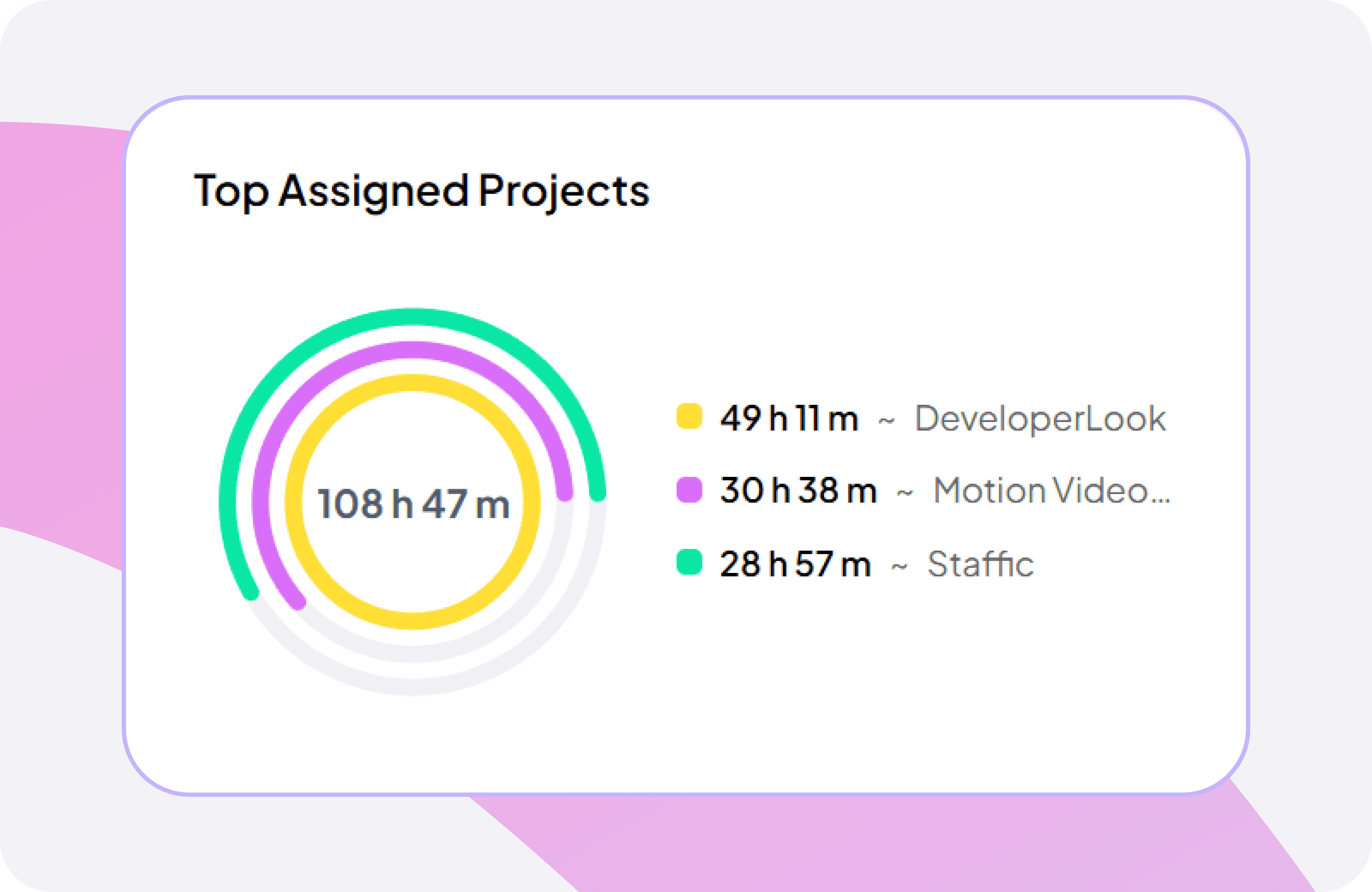
Project Workload Distribution by Team
Gain a clear view of your team’s project workload with a visual breakdown of where time is spent, so you can prioritize tasks and allocate resources effectively.
Highlights time spent on each active project
Easily track overall project progress at a glance
Ensures teams stay aligned on priorities & high-impact work
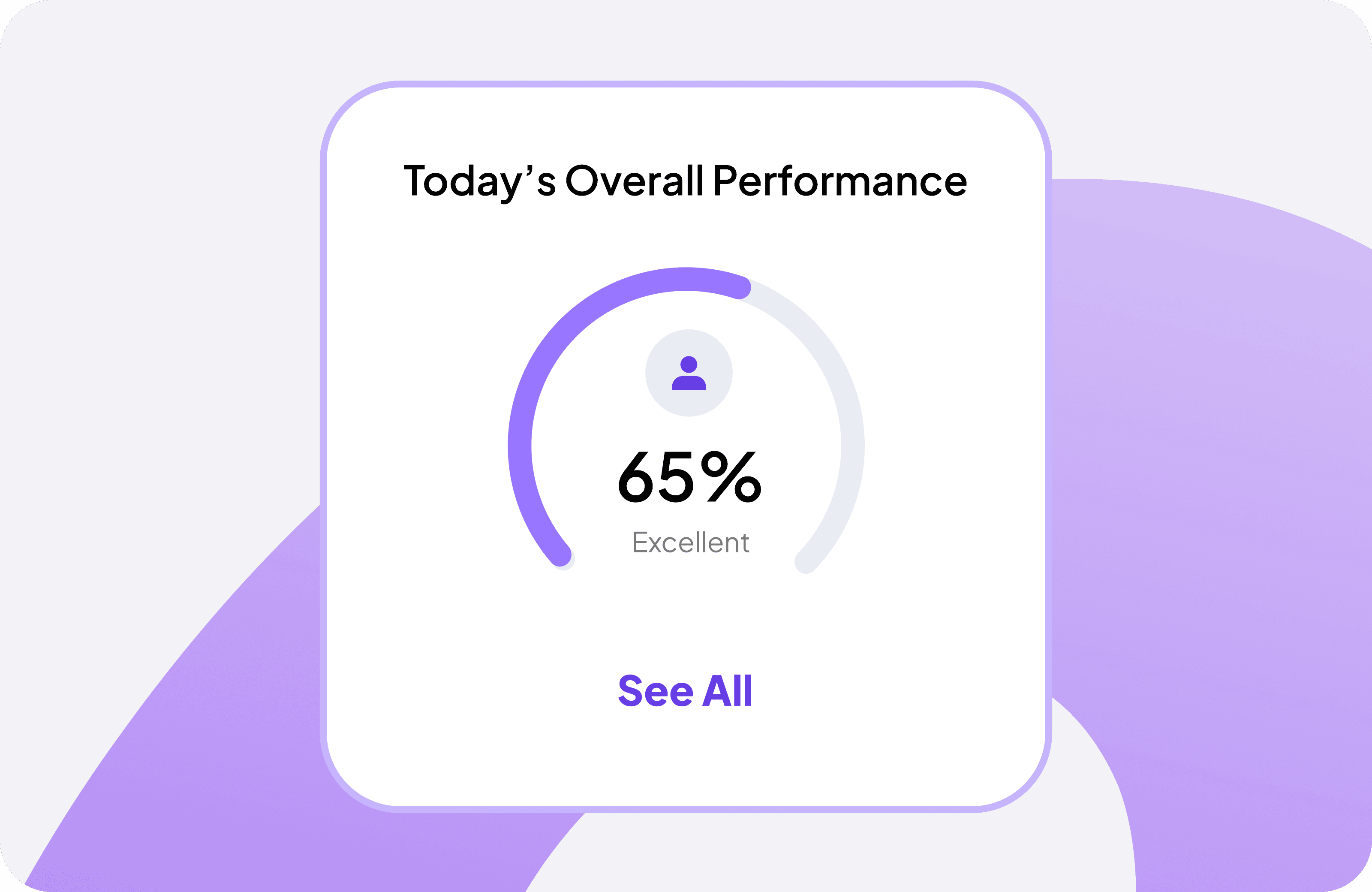
Today’s Overall Team Performance Overview
Get a quick snapshot of your team’s overall performance for the day, with clear efficiency insights that keep everyone aligned on targets and focus on improvement.
Highlights today’s overall performance percentage in real time
Helps teams track daily progress at a glance
Supports continuous improvement with day‑to‑day performance insights
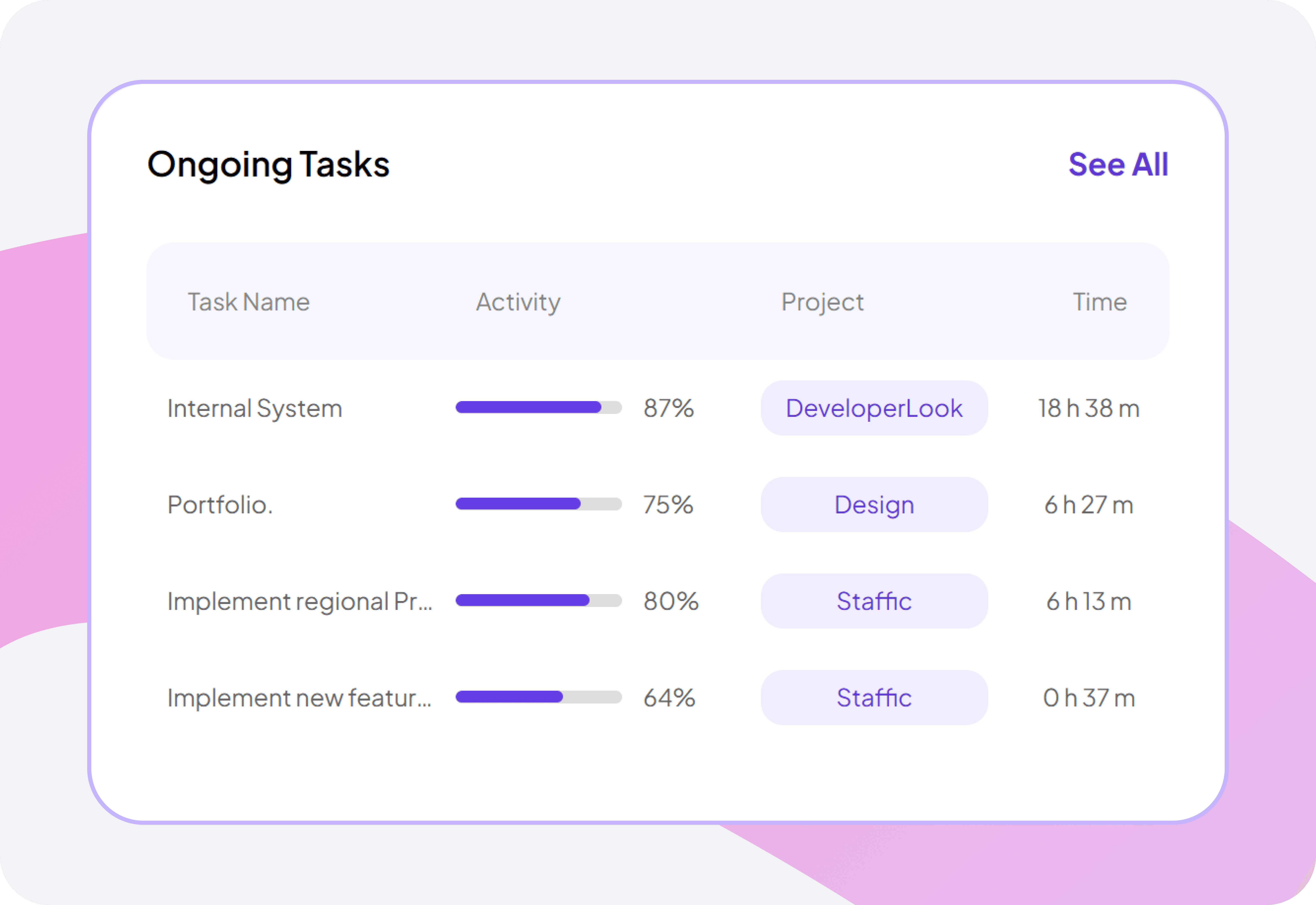
Live Team Task & Progress Overview
Stay on top of active tasks with real-time updates on activity, assigned projects, and time spent; all organized in a clean view for smarter task management.
Displays each active task with a clear progress status
Shows time spent on tasks to support accurate planning
Track workload across team members for better resource allocation
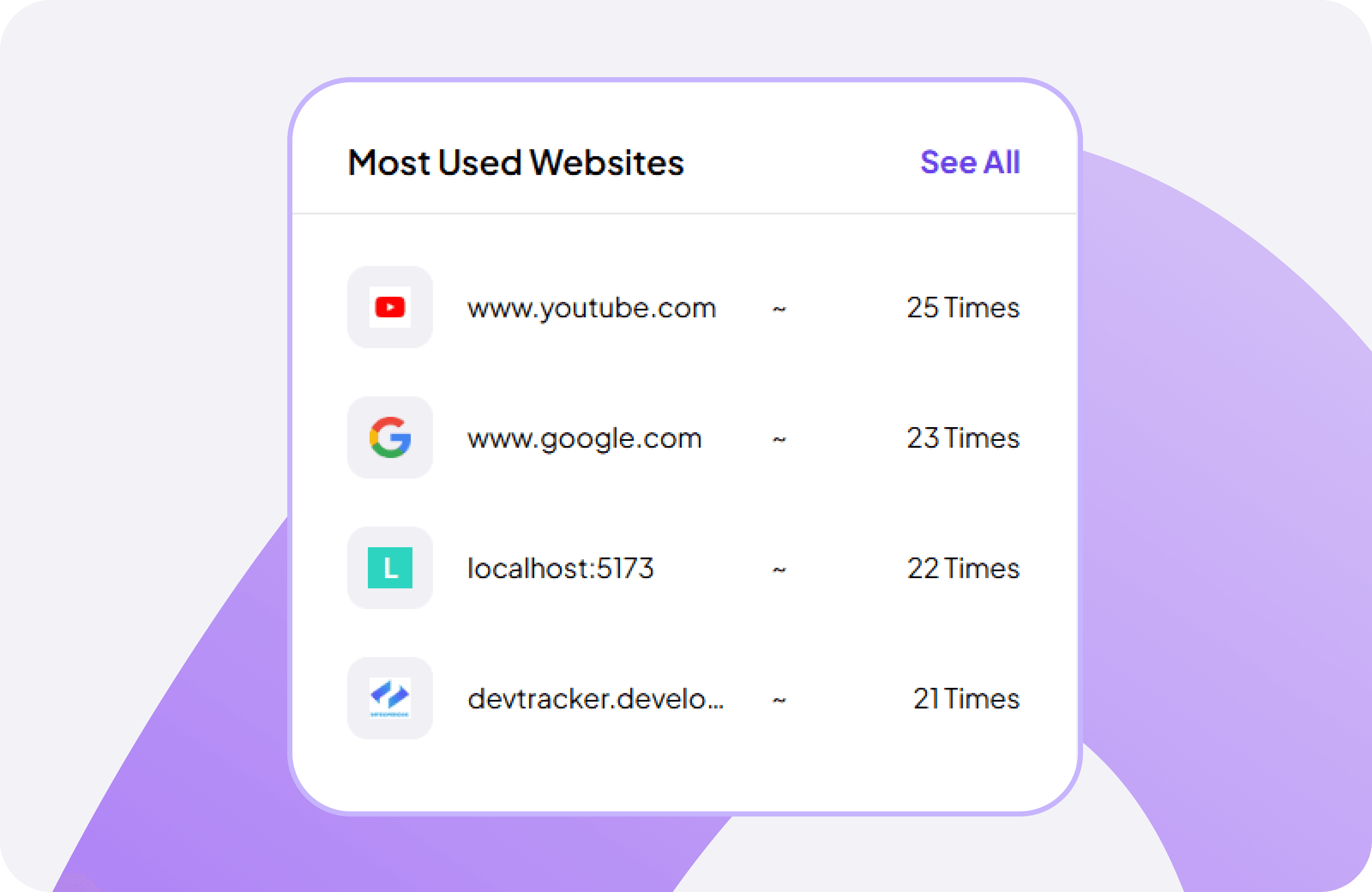
Track Most Visited Websites by Employees
Monitor which websites your team uses most during work hours to uncover productivity trends and better understand daily workflow habits.
Lists your team’s most visited work‑related websites
Helps identify productivity‑boosting tools and platforms
Clarifies where time is spent online for better decisions
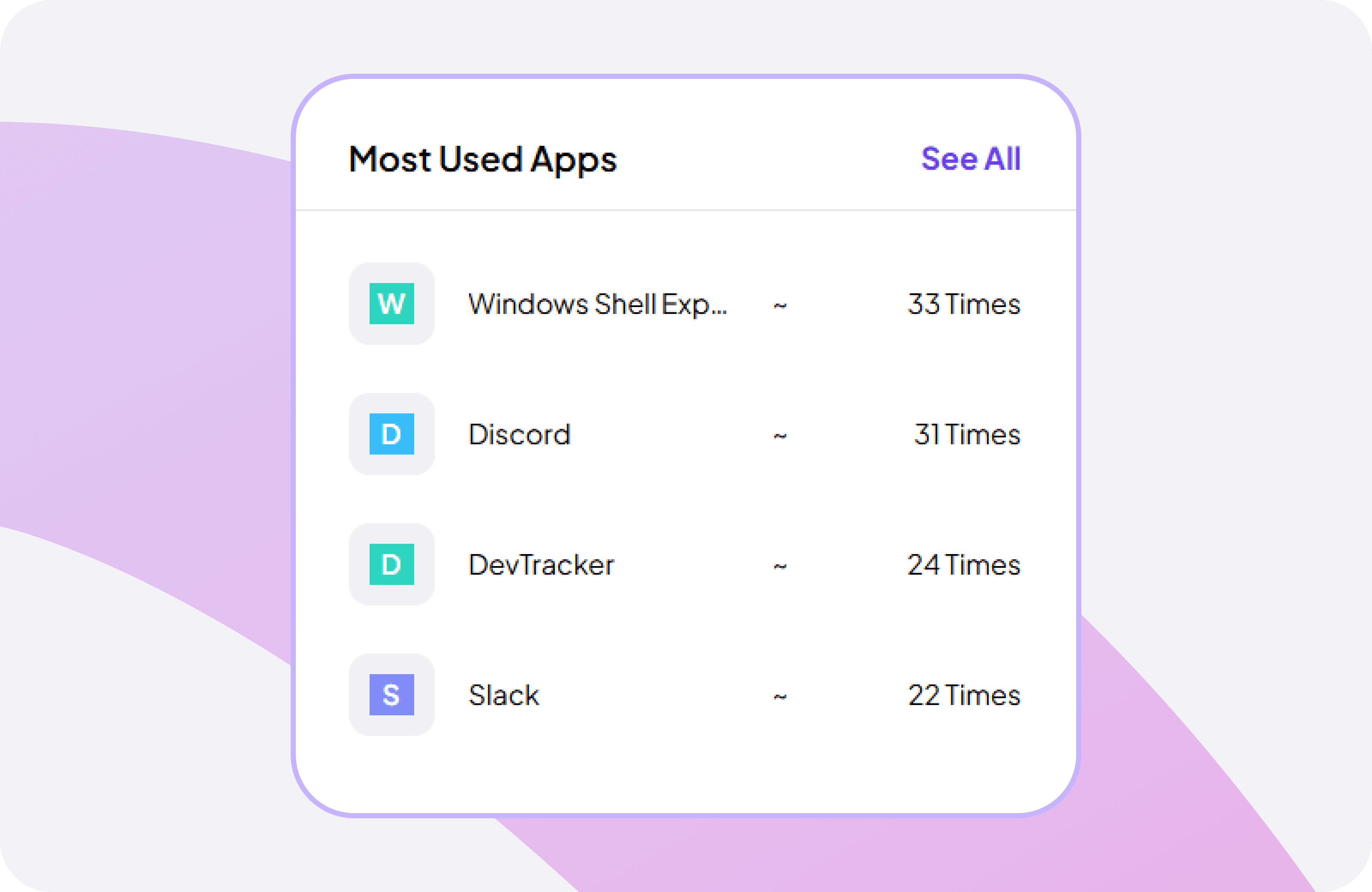
Track Most Used Work Apps by Your Team
Understand which apps your team relies on most to gain clear insights into productivity tools and daily workflow patterns.
Shows your team’s most frequently used applications
Helps identify essential work tools and platforms
Reveals app‑based productivity behavior to guide better decisions
Explore More
Features

Live Feed
Monitor real-time team activity and work progress

Manual Time Reports
Review manually entered time entries and adjustments made

Clock-in-out
Track employee Clock-In & Clock-Out easily
App & URL’s Report
Review manually entered time entries and adjustments made

Performance
Assess team productivity and pinpoint key improvements instantly
FAQ
Frequently Asked Questions
Get clear answers to the most common questions about Staffic.io's real‑time team dashboard