Manage
Organizations Effortlessly
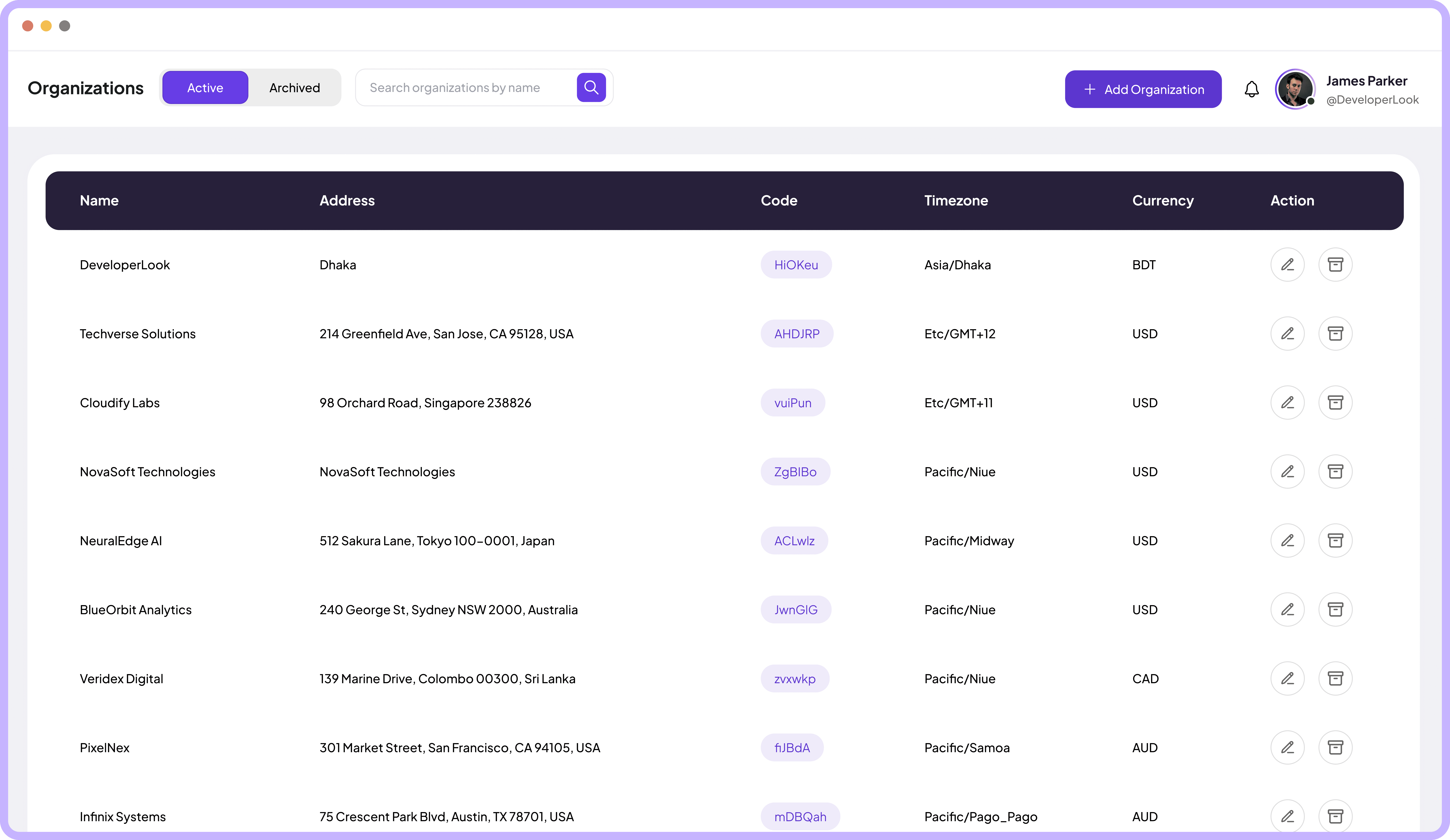
Create, view, and manage all your organizations with addresses, timezones, currencies, and custom codes in one centralized hub.
Jump to sections
Organizations Management
Complete Control Over
Your Organization



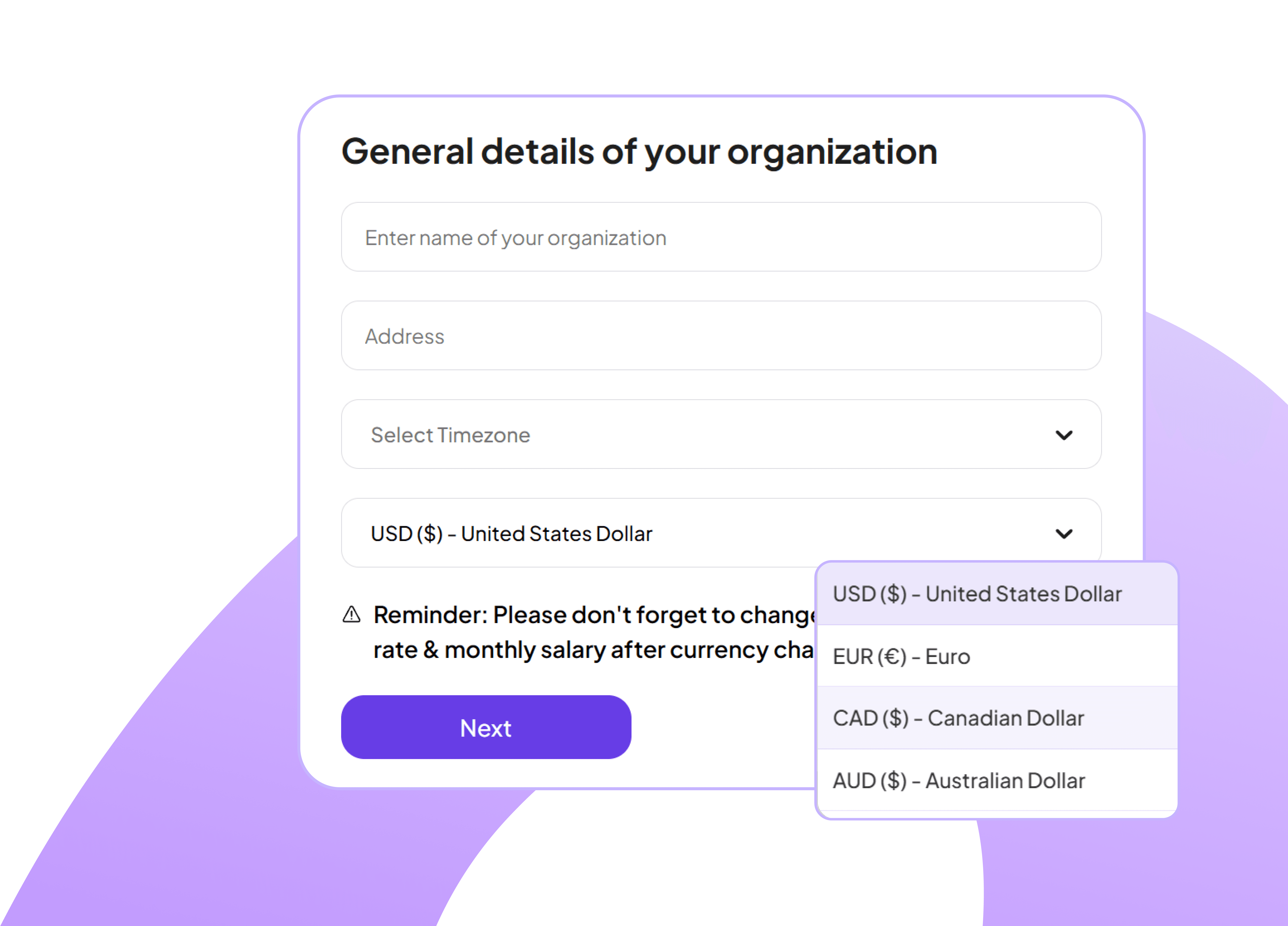
Add New Organization Instantly
Create organizations by entering general details, selecting time zones and currencies with exchange rate reminders.
Choose from multiple international currencies
Select from global timezone options easily
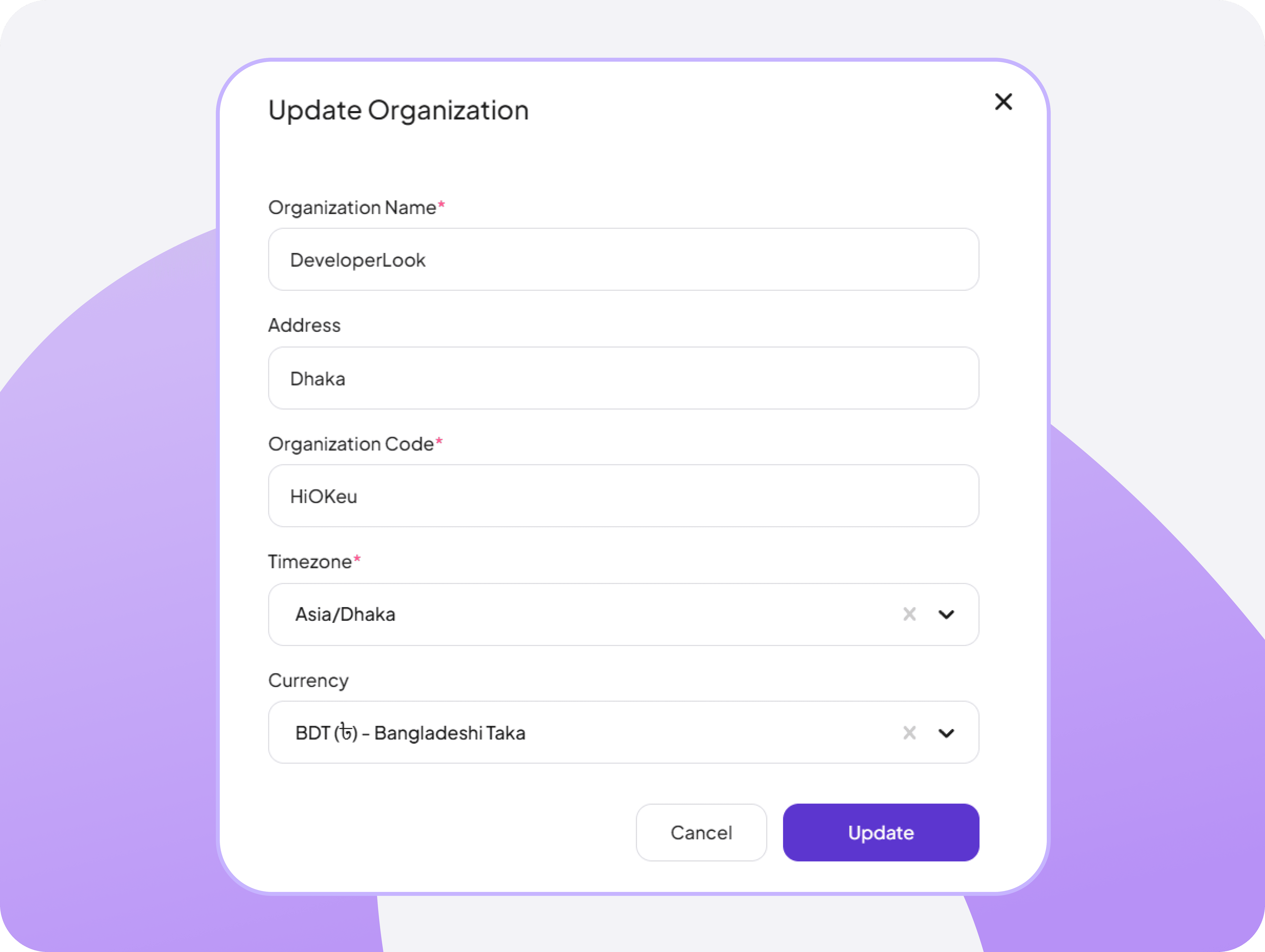
Edit Organization Details Seamlessly
Update organization information through a clean modal interface with editable fields for name, address, timezone, and currency preferences.
Change timezone settings for global operations
Update currency preferences
Explore More
Features

Clients
Manage relationships with clients in one place

Tasks
Organize and assign tasks to keep projects on track.

Teams
Set up teams and assign members in seconds

Members
Add, edit, and manage all team members.

Live Feed
Monitor real-time team activity and work progress

Screenshots
Capture Team Activity via Instant Screenshots
FAQ
Frequently Asked Questions
Find answers to the questions we get asked the most about Organizations features