Members
Timesheets Approval
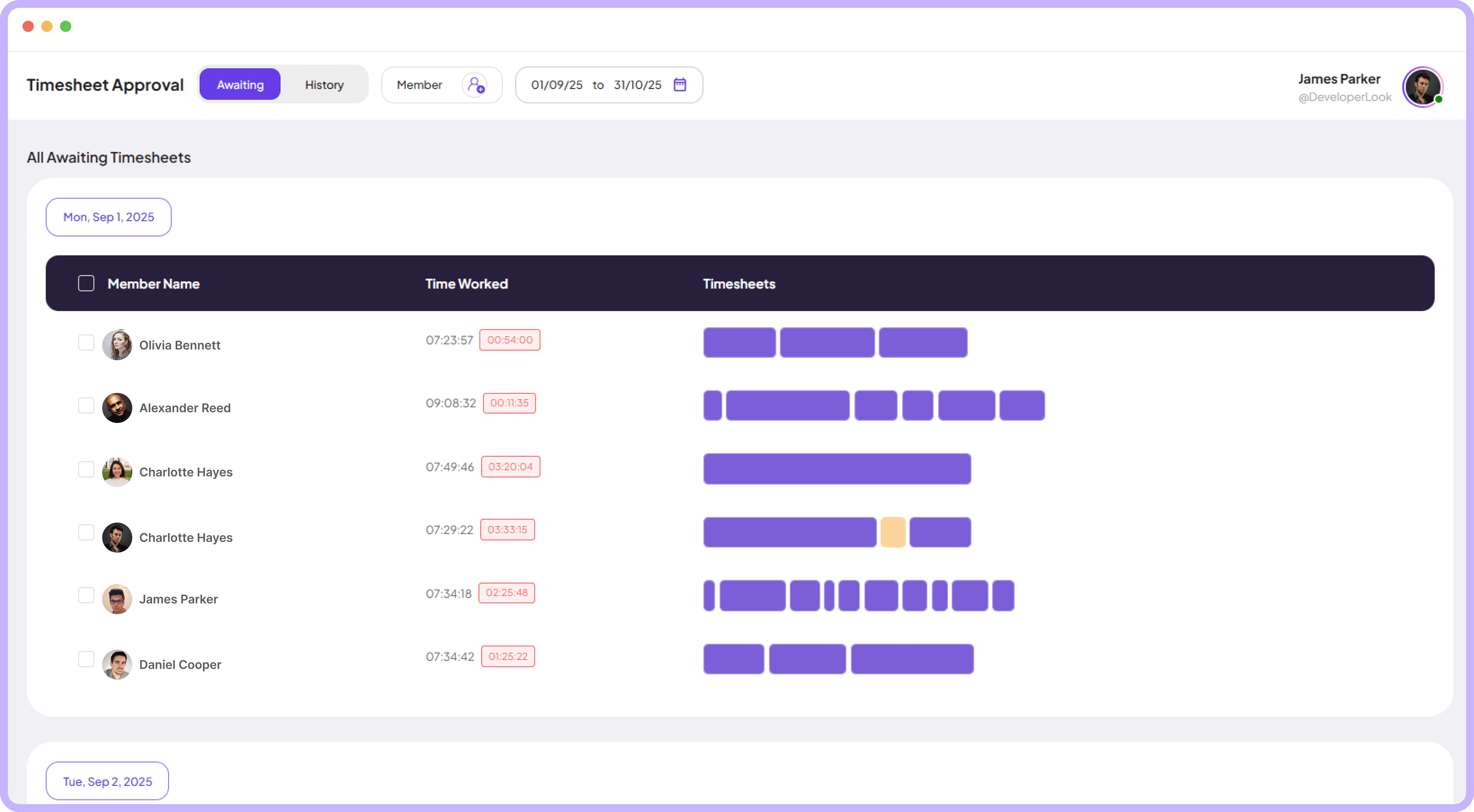
Handle approvals timesheets quickly with clear day-by-day details and simple controls that make reviewing and accepting timesheets effortless.
Jump to sections
Timesheet Approval
Approve Timesheets
Faster and Smarter



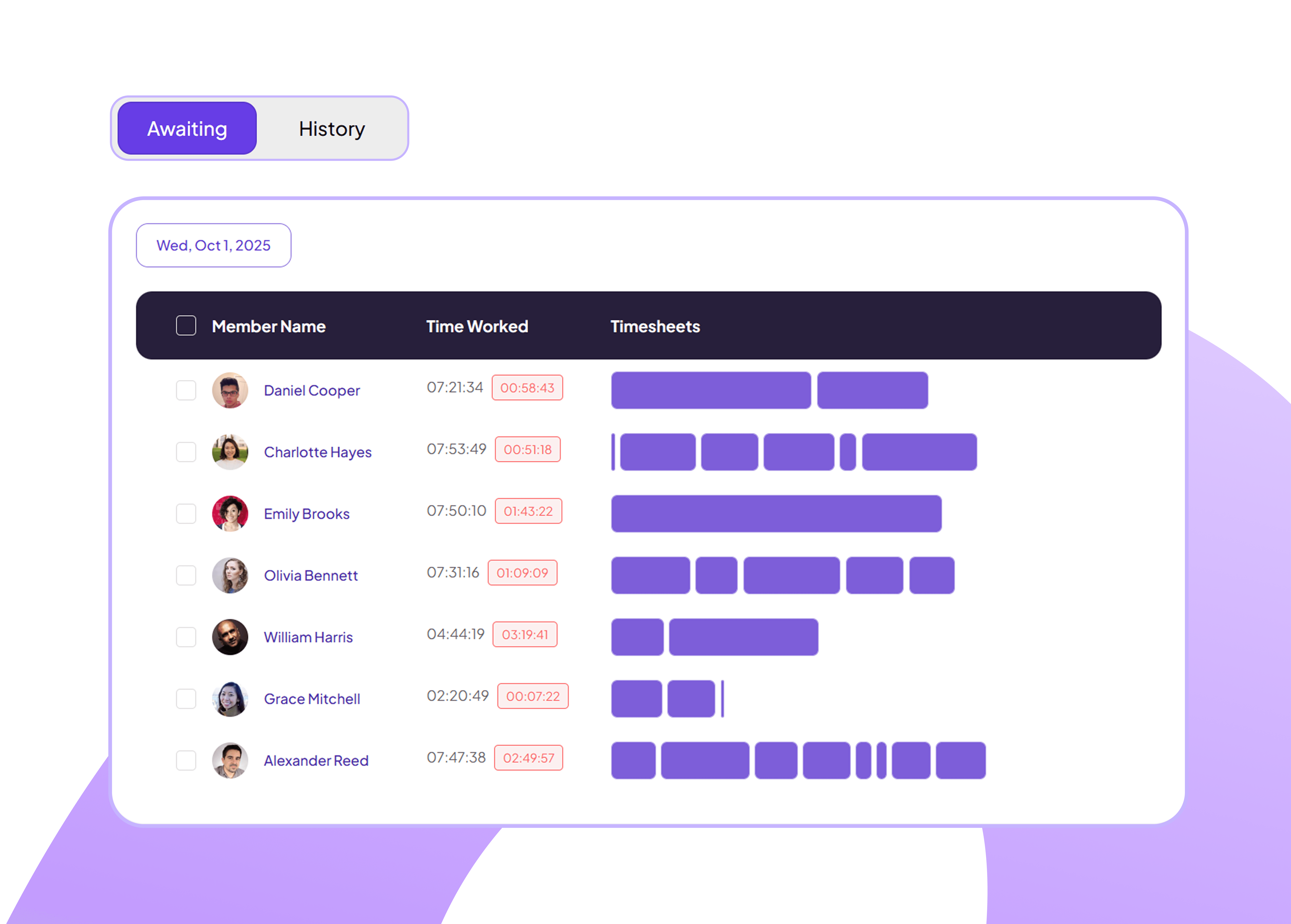
All Organized Timesheets Queue For Approval
Review submitted work entries by team members with clear data and simple actions.
Approve work in seconds
Keep your workflow smooth
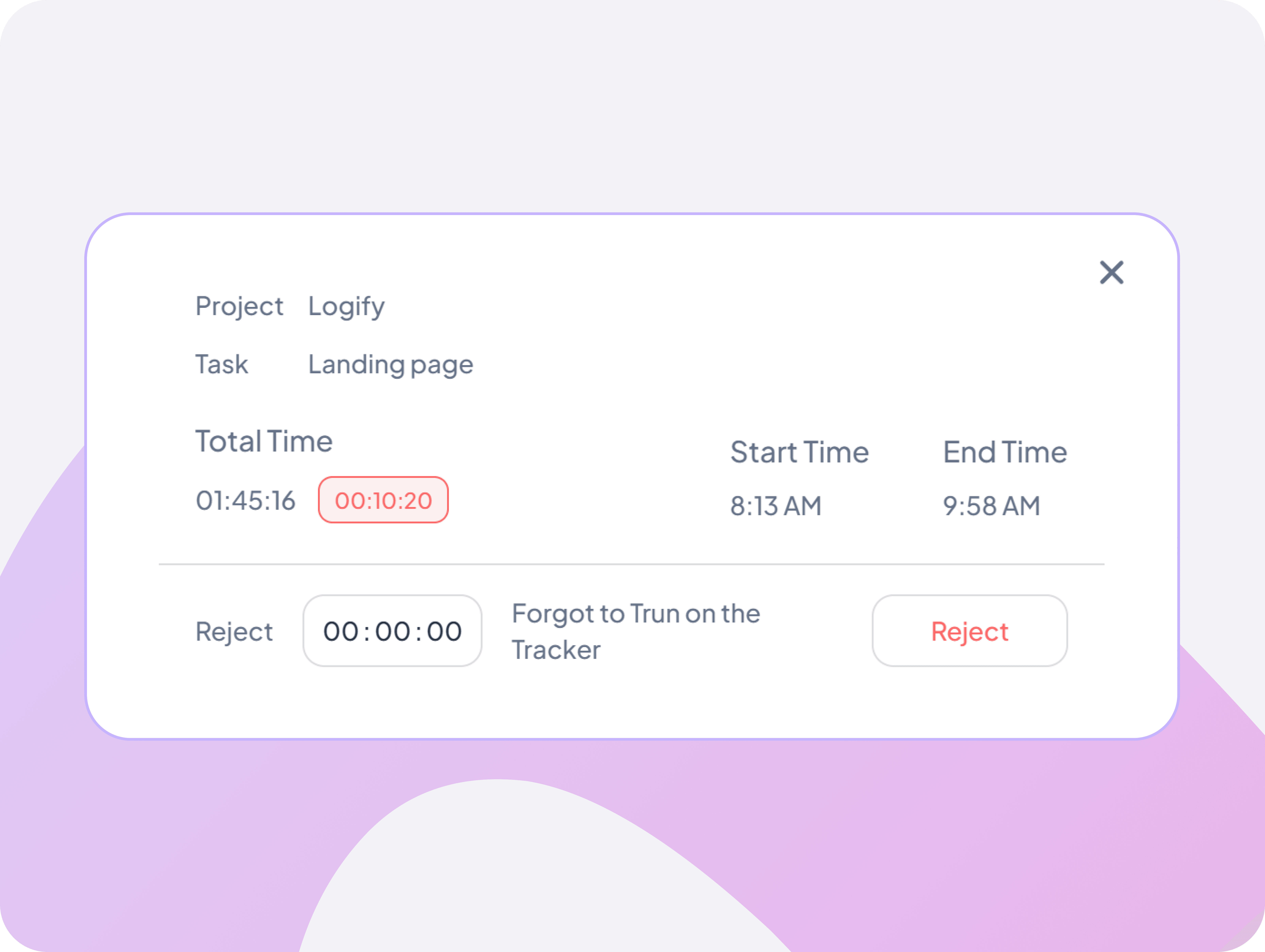
Detailed Work Notes
Review specific work sessions with precise timestamps and user-added notes to understand exactly how time was spent on each project.
Read custom notes attached to logs
Link activity to specific projects
Track who added notes for accountability
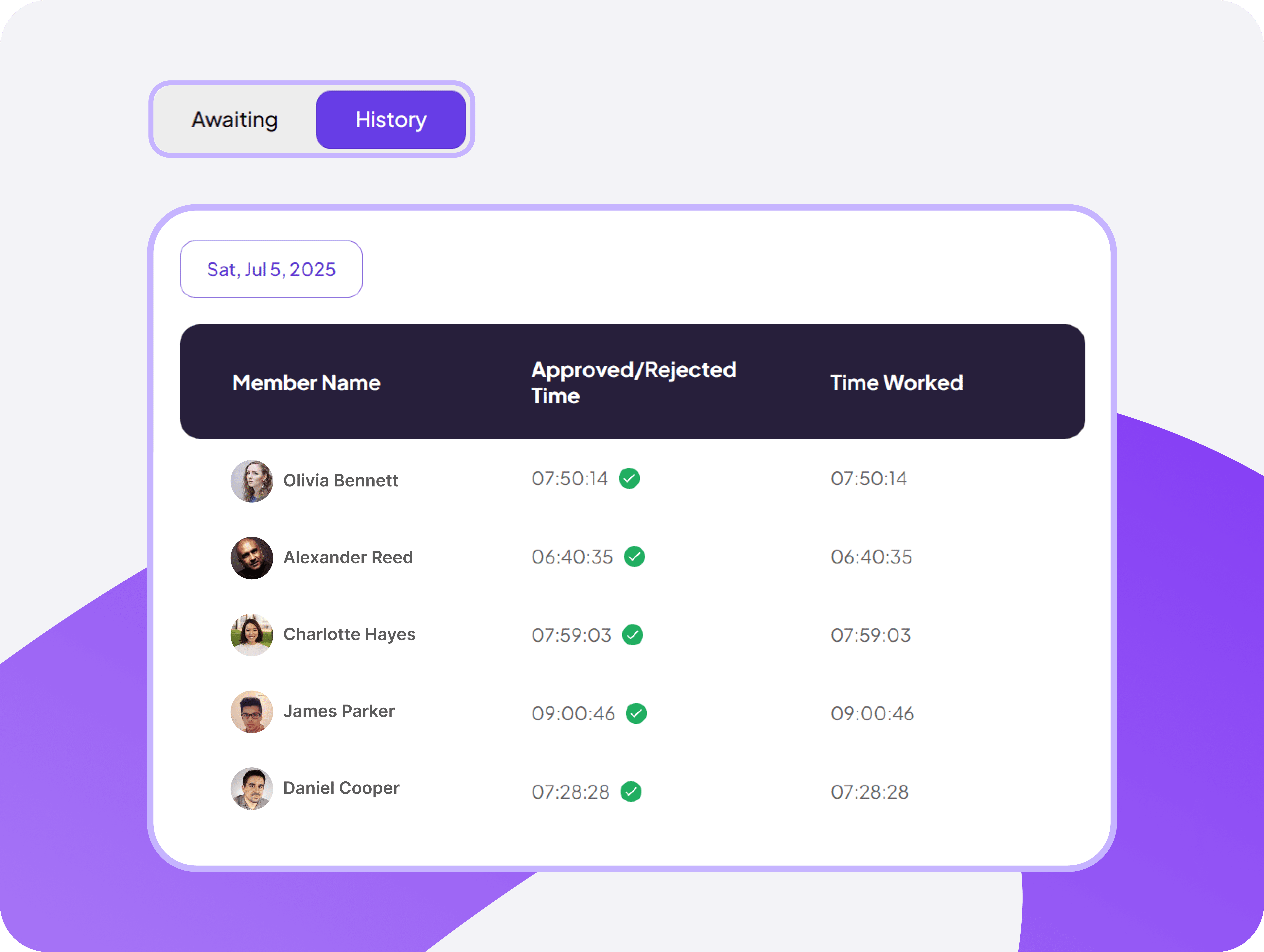
Complete Record of Past Approval Decisions
Browse who approved what, when, and why — useful for audits and clarifying past actions.
Track past approvals easily
Find decision context fast
Support audit and reporting
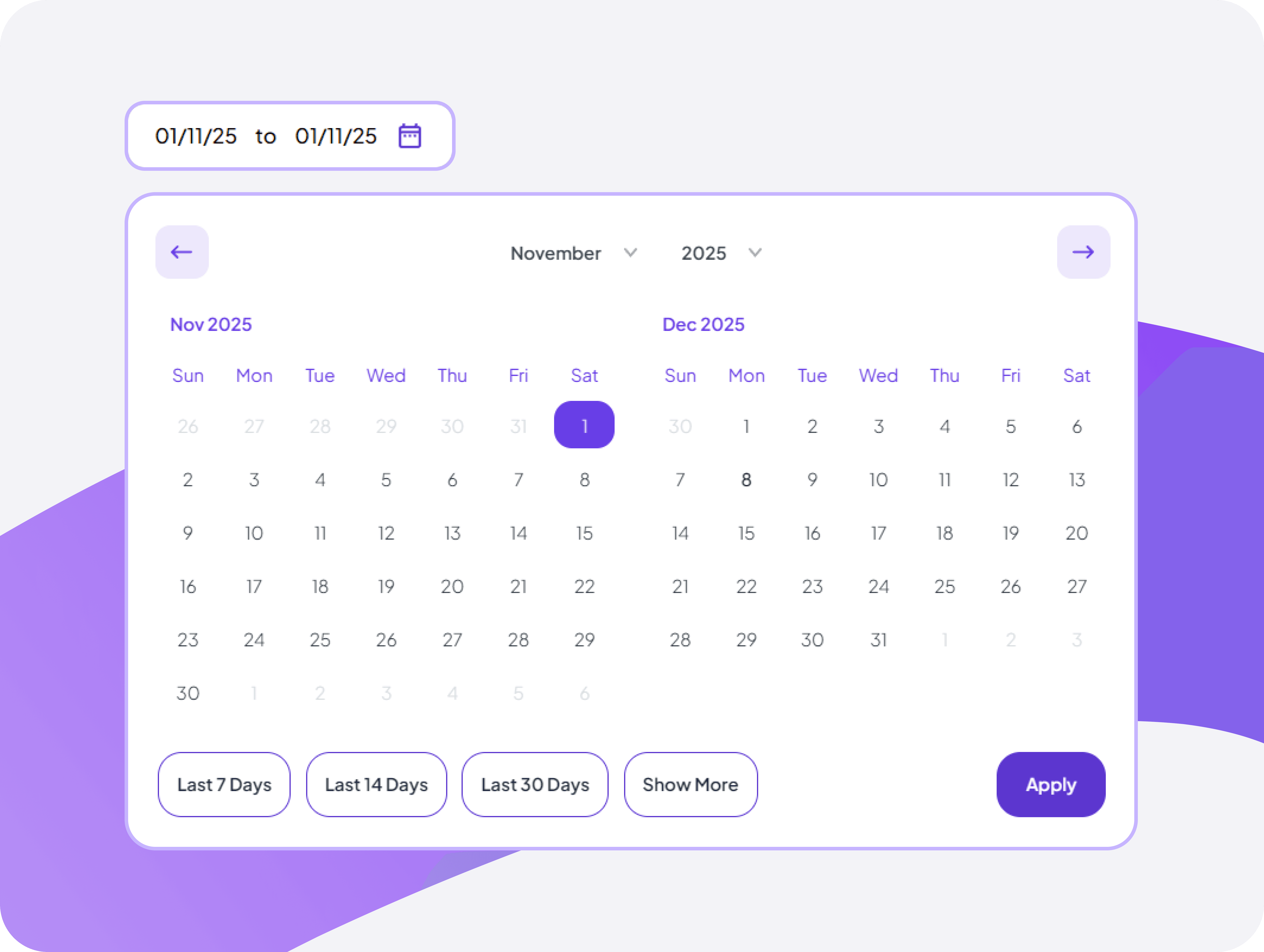
Monthly Calendar Time View
Navigate through timesheet periods using an intuitive calendar that shows submission dates and helps you manage review cycles.
See which days have pending timesheet reviews
Filter timesheets by week, month, or custom range
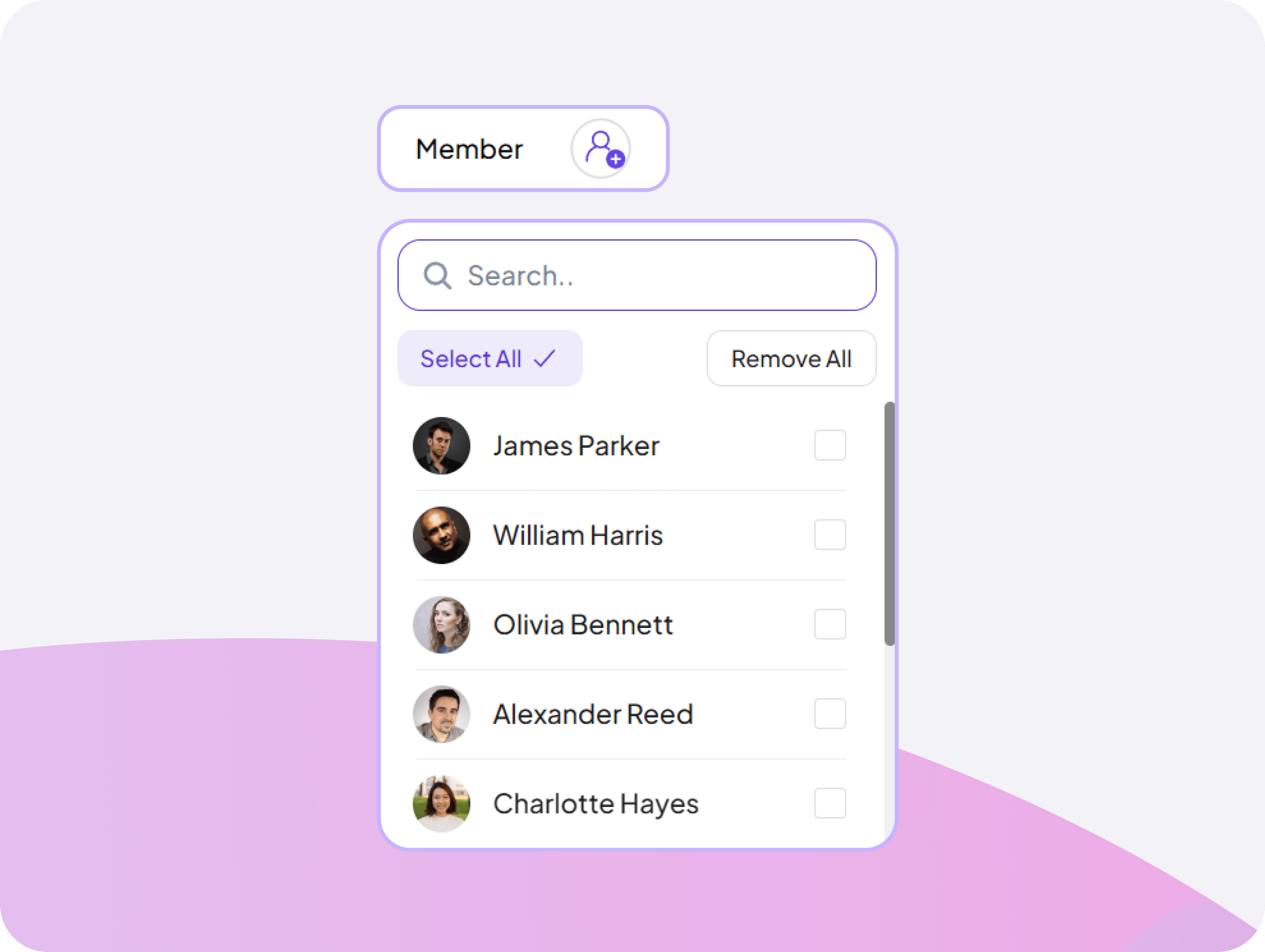
Flexible Member-Focused Filtering Tool
Find any team member instantly with smart search that lets you filter and select members to review their timesheet data.
Access frequently viewed timesheets with one click
Filter specefic team members approval timesheets


FAQ
Frequently Asked Questions
Find answers to the questions we get asked the most about Timesheets Approval.